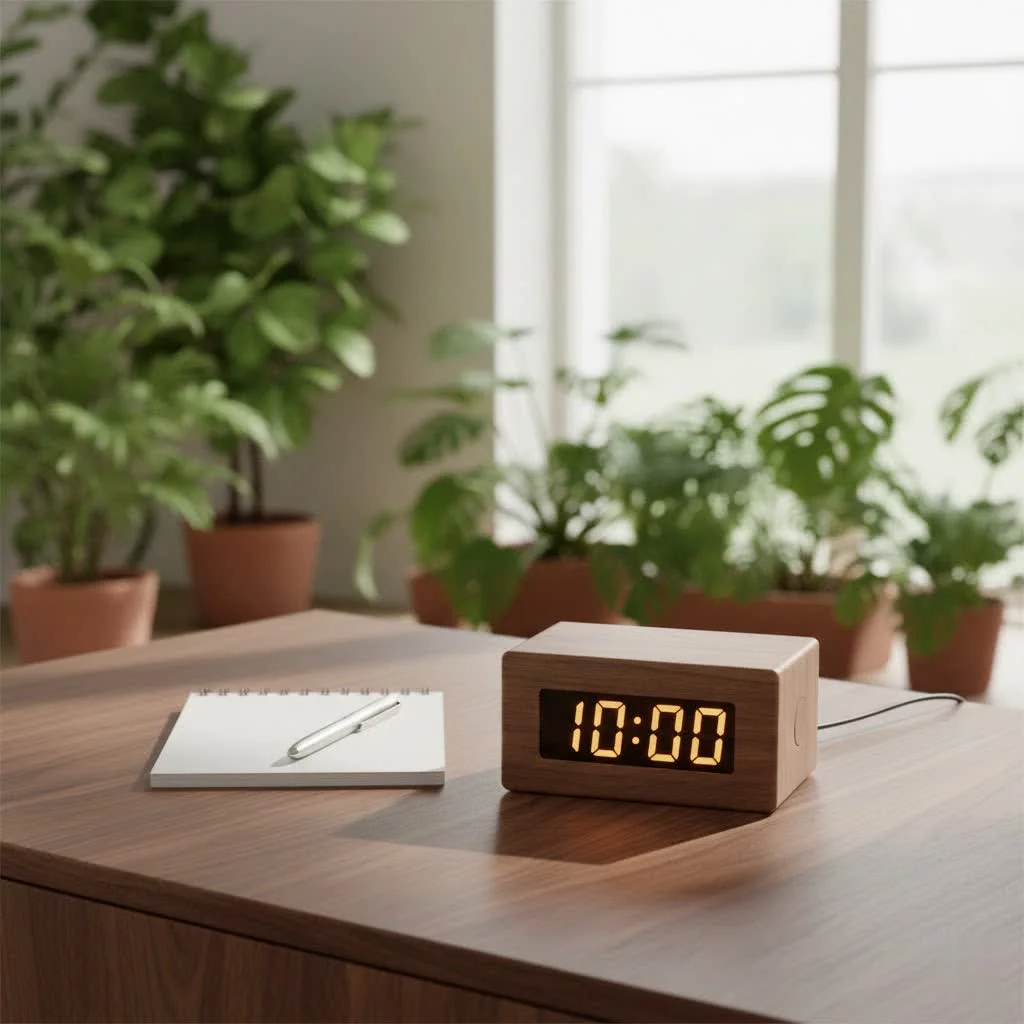
A 7-day programmable digital timer is an electronic device that provides precise control over when connected electrical appliances or lights turn on and off throughout an entire week. These timers allow for different schedules each day, making them ideal for automating home routines, enhancing security, and reducing energy consumption by ensuring devices only run when needed. They are a foundational tool for creating a smart, secure, and energy-efficient living space.
What Exactly is a 7-Day Programmable Digital Timer?
At its core, a 7-day programmable digital timer is a clever electronic device designed to give you precise control over when your connected electrical appliances or lights turn on and off throughout the entire week. Unlike simpler daily timers, these sophisticated units allow you to set different schedules for each day—perfect for households with varying weekday and weekend routines. Imagine your grow lights automatically mimicking natural light cycles, or your entryway lamp greeting you at dusk, every single day, without a second thought from you. It’s about “set it and forget it” convenience, tailored to your unique lifestyle. For complete digital timers library on this site.
Unlocking the Benefits: Why You Need One
Why bother with a digital timer? The advantages are plentiful, extending far beyond simple on/off switching.
Energy Efficiency and Cost Savings
One of the biggest draws of a 7-day programmable digital timer is its ability to trim down your electricity consumption. By ensuring devices like lamps, fans, or even heating/cooling systems only run when truly needed, you eliminate unnecessary “phantom load” and reduce energy wastage. This smart management directly translates into lower utility bills and a happier wallet.
“Embracing a 7-day programmable digital timer isn’t just about convenience; it’s a smart investment in your home’s energy future and security,” says Kenji Sato, a leading expert in home automation systems.
Enhanced Home Security
Going away on vacation? A dark, silent house is a clear sign that no one is home. A 7-day programmable digital timer often features a “random” or “security” mode. When activated, this function will subtly vary the programmed ON/OFF times of your lights by a few minutes each day. This creates the illusion of occupancy, making your home a less appealing target for potential intruders. It’s a simple, yet highly effective, deterrent for peace of mind.
Unmatched Convenience
Think about all the little things you do daily: turning on the coffee maker in the morning, switching on a fan, or powering up your aquarium filter. A digital timer automates these routine tasks. You program it once, and your appliances follow your schedule faithfully, freeing up your mental energy and time for more important things. It’s the ultimate personal assistant for your plugged-in world.
Appliance Protection
|
Our Picks for the Best Digital Timer in 2026
As an Amazon Associate I earn from qualifying purchases.
|
||
| Num | Product | Action |
|---|---|---|
| 1 | VOCOO Digital Kitchen Timer with 7.8” Extra Large Display, Magnetic LED, with 3 Brightness, 4 Alarms and 3 Volume Levels, Battery Powered Countdown Count Up Timer for Cooking, Classroom, Home Gym |

|
| 2 | Azosowo 2 Pack Digital Timer for Kids, Magnetic Kitchen Timers for Cooking, Egg, Teachers, Classroom, Study, Exercise, Oven Baking - AAA Battery Included |
|
| 3 | 2 Pack Digital Kitchen Timer for Cooking Big Digits Loud Alarm Magnetic Backing Stand Cooking Timers for Baking White |
|
| 4 | Elegant Digital Kitchen Timer, Stainless Steel Model eT-23, Super Strong Magnetic Back, Loud Alarm, Large Display, Auto Memory, Auto Shut-Off by eTradewinds |
|
| 5 | Allbean Magnetic Kitchen Timer for Cooking with Loud Alarm - Large LED Display Rotating Countdown Pomodoro Timer, Preset 5/15/25 Mins Easy for Seniors and Kids,for Baking Grilling Studying |
|
| 6 | 6 Pack Multi-Function Electronic Timer, Learning Management, Suitable for Kitchen, Study, Work, Exercise Training, Outdoor Activities(not Including Battery) |
|
| 7 | VOCOO Digital Kitchen Timer - Magnetic Countdown Countup Timer with Large LED Display Volume Adjustable, Easy for Cooking and for Seniors and Kids to Use (Space Grey) |
|
| 8 | Visual Kitchen Timer for Cooking,Chef Cooking Timers Clock with Loud Alarm,Timers for Classroom, Home and Study,Mechanical Desk Timer,No Batteries Required,Magnetic Back (Red) |
|
| 9 | Easy to USE, Digital Kitchen Timer, Magnetic Timer,Tanmalan(Black,1 Pack) |
|
| 10 | GuDoQi Digital Hourglass Pomodoro Timer, Magnetic 1-99 Mins Adjustable Rechargeable Digital Countdown ADHD Timer, Mute/Low Volume/High Low Volume Modes for Work, Study, Back to School, Kitch, Black |
|
Over-use or constant manual switching can lead to premature wear and tear on your valuable appliances. By automating their operation, a digital timer helps regulate usage, potentially extending the lifespan of your devices. They work more efficiently and last longer when controlled intelligently.
Where Can a Digital Timer Shine? Common Applications
The versatility of a 7-day programmable digital timer means it can find a useful place in almost every corner of your home.
Around the House
From the living room to the bedroom, these timers can manage a variety of household items:
- Lamps and Decorative Lights: Have your lamps turn on as dusk approaches and off when you typically go to bed, or automate your festive holiday lights.
- Small Kitchen Appliances: Imagine waking up to freshly brewed coffee because your coffee maker powered on just before your alarm.
- Fans and Portable Heaters: Regulate room temperature and airflow by scheduling fans or approved portable heaters (always use with caution and safety instructions) to operate only when you’re around.
- Humidifiers and Air Purifiers: Maintain optimal indoor air quality by scheduling these devices to run during specific periods.
For Your Green Friends
If you have indoor plants, an aquarium, or a terrarium, a digital timer is indispensable:
- Grow Lights: Precisely control the light cycles for your indoor plants, ensuring they get the right amount of “daylight” to thrive.
- Aquarium Lights and Pumps: Mimic natural aquatic environments by scheduling your fish tank lights and filtration pumps.
Choosing Your Perfect 7-Day Programmable Timer: What to Look For
With so many options on the market, selecting the right digital timer can feel a bit overwhelming. Here’s what to keep an eye out for:
Programming Capacity
Consider how many different ON/OFF events you need to schedule throughout the week. Some timers offer 8, 10, or even 20 distinct programs, allowing for extensive customization for individual days, weekdays, weekends, or all seven days simultaneously. More programs mean more flexibility for complex routines.
Outlet Configuration
Do you need to control one device or two? Many digital timers come with dual outlets, offering control over two appliances from a single timer unit. Always ensure the timer features grounded (3-prong) outlets for safety with modern appliances.
User Interface and Display
A clear, backlit LCD screen and intuitive buttons are crucial. While most timers follow a similar programming logic, some interfaces are significantly more user-friendly than others. Look for straightforward navigation and easily identifiable buttons for “Clock,” “Program,” “Day,” “Hour,” and “Minute.”
Key Features to Consider
- Backup Battery: An internal rechargeable battery is vital. It retains your programmed settings during power outages, so you don’t have to reprogram everything from scratch.
- Random Mode: As discussed, this is a fantastic security feature to deter intruders.
- Daylight Saving Time (DST) Adjustment: Some advanced timers offer an automatic DST adjustment feature, saving you the hassle of manually changing the time twice a year.
- Manual Override: This allows you to temporarily turn an appliance ON or OFF without disturbing your programmed schedule, offering immediate flexibility.
Safety and Build Quality
Always prioritize timers that are UL or ETL listed, ensuring they meet recognized safety standards. For this specific keyword, we’re typically looking at indoor plug-in timers. Make sure the power rating (amps and wattage) of the timer can handle the appliances you intend to plug into it.
Step-by-Step: Programming Your 7-Day Digital Timer
While specific button labels and sequences can vary slightly between models, the general steps to program most 7-day programmable digital timers are quite similar.
Initial Setup
- Charge the Battery (if necessary): If the LCD screen is blank, plug the timer into an outlet for at least 15-30 minutes to charge its internal backup battery.
- Reset: Use a small, non-metallic pointed object (like a toothpick) to press the “RESET” button. This clears all previous settings and ensures a fresh start. The display will usually show “12:00 AM” or similar.
- Set Current Time and Day:
- Press and hold the “CLOCK” button.
- While holding “CLOCK,” press the “WEEK,” “HOUR,” and “MINUTE” buttons to adjust to the current day and time. Pay attention to AM/PM indicators.
- Release the “CLOCK” button once done.
Creating Your Schedule
Most timers allow you to set multiple “ON” and “OFF” programs.
- Enter Program Mode: Press the “PROG” (or “TIMER”) button. The display will typically show “1 ON” (for the first “ON” event).
- Select Days: Press the “WEEK” button repeatedly to cycle through day combinations:
- Every day (MO TU WE TH FR SA SU)
- Weekdays (MO TU WE TH FR)
- Weekends (SA SU)
- Individual days (MO, TU, WE, etc.)
- Specific blocks (e.g., MO WE FR).
- Stop when your desired days are displayed.
- Set “ON” Time: Press the “HOUR” and “MINUTE” buttons to set the exact time you want your appliance to turn on.
- Set “OFF” Time: Press “PROG” again. The display will show “1 OFF.” Repeat steps 2 and 3 to set the days and time for your appliance to turn off.
- Add More Programs: Continue pressing “PROG” to cycle through “2 ON,” “2 OFF,” and so on, repeating steps 2-4 for each additional schedule you want to create.
- Exit Program Mode: Once all programs are set, press the “CLOCK” button to return to the current time display.
Activating Your Programs
For your timer to execute its programmed schedule, it must be in “AUTO” mode.
- Switch to “AUTO”: Press the “ON/AUTO/OFF” or “MODE” button until “AUTO” (or similar) is displayed on the screen.
Advanced Features
- Random Mode (for Security): To activate, usually, you’ll press a “RANDOM” button or a combination like “WEEK” + “HOUR” simultaneously. An “R” or similar indicator will appear. Deactivate by pressing the same buttons again.
- Daylight Saving Time: Some timers have a dedicated button (e.g., “DST”) or a button combination (e.g., “HOUR” + “MIN”) to adjust the time by one hour.
Troubleshooting Common Digital Timer Woes
Even the most reliable digital timers can sometimes act up. Here are quick fixes for common issues:
Screen is Blank
- Solution: The internal backup battery likely needs charging. Plug the timer into an active outlet for at least 30 minutes to allow the battery to recharge. Then, try pressing the “RESET” button.
Programs Not Running
- Solution: First, ensure the timer is set to “AUTO” mode. If it’s on “ON” or “OFF,” it will bypass all programs. Second, double-check your programming for any overlaps or incorrect times. Sometimes a simple typo in the ON/OFF times can cause issues. Finally, make sure the appliance plugged into the timer is itself switched “ON.”
Incorrect Time
- Solution: If the time drifts or is incorrect after a power outage (and the backup battery isn’t working optimally), simply reset the timer and re-set the current time and day as per the initial setup steps.
Frequently Asked Questions
Can I use a 7-day programmable digital timer outdoors?
Generally, no. Most 7-day programmable digital timers are designed for indoor use only. Outdoor-rated timers exist and are specifically built to withstand weather conditions. Always check the product’s specifications for its intended environment.
How many programs can I set on a 7-day digital timer?
This varies by model, but most offer between 8 to 20 distinct ON/OFF programs. This allows for considerable flexibility in scheduling multiple devices or different events throughout the week.
What is the “random” function for?
The “random” function is a security feature that subtly varies the ON/OFF times of your programmed events by a few minutes. This makes it appear as though someone is actively turning lights on and off, deterring potential intruders when you are away from home.
Do digital timers use a lot of electricity?
No, digital timers consume very little electricity themselves. Their primary function is to help you save energy by controlling when other, more power-hungry appliances are active. The minimal power they draw to maintain settings and run the clock is negligible.
How do I reset my timer?
Most digital timers have a small “RESET” button, often recessed to prevent accidental presses. You’ll need a pointed object like a paperclip or a toothpick to press it. This clears all settings and returns the timer to its factory default state.
Embrace a Smarter, Safer, and More Efficient Home
The 7-day programmable digital timer is more than just a convenient gadget; it’s a foundational tool for creating a truly smart, secure, and energy-efficient living space. By automating your lights and appliances, you reclaim precious time, reduce your environmental footprint, and enhance your home’s safety. So, why wait? Take the leap and let a 7-day programmable digital timer revolutionize the way you interact with your home. It’s an investment that pays dividends in convenience, savings, and peace of mind.
Smart home that does not lock you in
Practical specs, not advice. Unsubscribe anytime.
I bought one of these to control my aquarium lights, and while the 7-day programming is super useful for consistent light cycles, I found the display a little hard to read in dim light. It works as described for automating routines, but a brighter backlight would make a big difference for me. Still, it gets the job done for my fish.
These digital timers are a foundational tool for any smart home setup. I use several throughout my house for various appliances, from charging stations to fans. The ability to set different schedules for each day of the week is invaluable for managing power consumption and making my living space more efficient. A must-have for home automation.
I’ve been using a 7-day programmable digital timer for my outdoor lights for a few weeks now, and it’s a game-changer. Setting different schedules for weekdays and weekends was super easy, which is perfect for when we’re away. It really does enhance security by making it look like someone’s always home. Definitely recommend for anyone looking to automate their lighting.
This type of timer is fantastic for energy saving. I’ve got one hooked up to my coffee maker and another to a space heater in my office. It’s great to have the coffee ready when I wake up and the room warm before I even sit down to work. The initial setup took a little bit of fiddling to get the daily schedules just right, but once it’s set, it’s flawless.