Ever felt like you’re playing a constant game of “turn the lights on, turn the lights off”? Or perhaps you’re looking for clever ways to make your home more energy-efficient and secure. If so, a Digital Wall Timer might just be the unsung hero you need. This handy device seamlessly integrates into your existing electrical system, transforming ordinary switches into intelligent automation hubs. It’s more than just a clock; it’s your personal home manager, designed to simplify your life and boost your home’s performance.
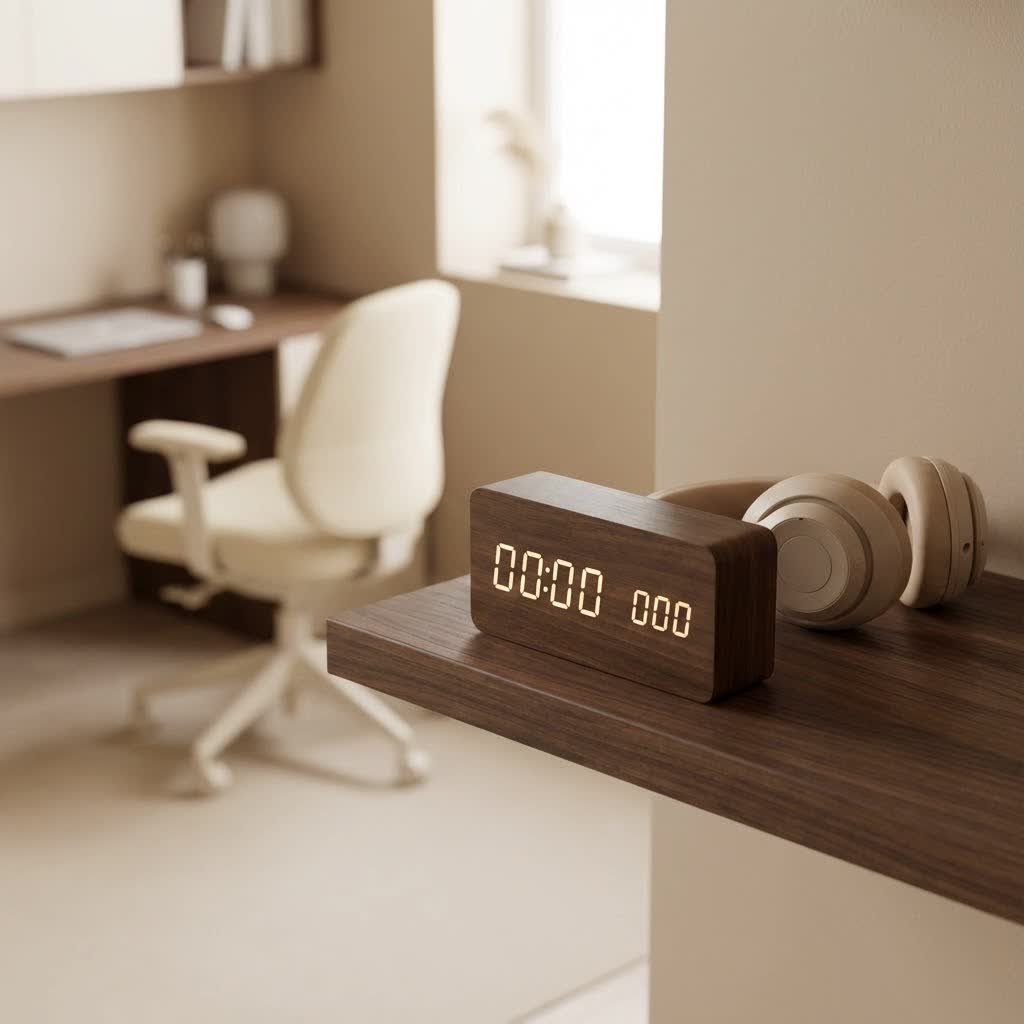
At Kenws, we believe in empowering you with knowledge, and today we’re diving deep into everything you need to know about digital wall timers, from their clever functions to how they can revolutionize your daily routines.
What Exactly is a Digital Wall Timer?
At its core, a digital wall timer is an electronic switch that replaces your standard light or appliance switch, allowing you to program when connected devices turn on and off automatically. Unlike old-school mechanical timers that use physical dials and pins, digital versions feature LCD screens and push-button controls, offering unparalleled precision and flexibility. They are hardwired into your home’s electrical system, providing a clean, integrated look that blends perfectly with your decor.
Think of it as setting a sophisticated schedule for your home’s electrical devices. Whether it’s your porch light, a bathroom fan, or even a pool pump, a digital wall timer takes the manual effort out of managing their operation.
The Different Flavors: Types of Digital Wall Timers
The world of digital wall timers isn’t a one-size-fits-all affair. There’s a variety to suit every need and lifestyle, each with its own set of strengths. Understanding these types is key to choosing the right one for your home:
- 7-Day Programmable Timers: These are perhaps the most versatile. They allow you to set unique ON/OFF schedules for every day of the week, offering immense flexibility. You can have different routines for weekdays versus weekends, or even individual days. Many models also include options for automatic Daylight Saving Time (DST) adjustments.
- Countdown Timers: Simple yet effective, countdown timers automatically shut off lights or devices after a preset duration (e.g., 5, 10, 30 minutes, or even hours). They’re perfect for bathroom fans, closet lights, or any device you want to ensure doesn’t run indefinitely.
- Astronomic Timers: These advanced digital wall timers take convenience a step further. They have built-in programming that calculates local sunrise and sunset times based on your geographical location. This means your outdoor lights or security lighting will automatically adjust throughout the year, coming on when it gets dark and turning off at dawn, without you ever needing to reprogram them seasonally.
- Smart Wi-Fi Timers: The latest innovation, these timers connect to your home’s Wi-Fi network, allowing you to control and program them remotely via a smartphone app. Many can also integrate with voice assistants like Alexa or Google Home, offering the ultimate in hands-free convenience and advanced scheduling features.
While mechanical timers still exist, digital wall timers clearly offer superior precision, programming capabilities, and features like random mode for security.
Beyond the Clock: Practical Applications in Your Home and Beyond
A digital wall timer isn’t just about telling time; it’s about optimizing your living space for convenience, security, and energy efficiency. The applications are incredibly diverse:
- Lighting Control: This is the most common use. Automate indoor and outdoor lights, porch lights, holiday decorations, and landscape lighting. Create a “lived-in” look when you’re away by using random mode, which subtly varies ON/OFF times.
- Fan Management: Program bathroom exhaust fans to run for a set period after use, helping to reduce humidity and prevent mold. Control ceiling fans to optimize air circulation.
- Appliance Automation: While not for heavy appliances, a digital wall timer can manage small appliances like coffee makers, towel warmers, or even aquarium lights.
- Security Enhancement: The “random” or “vacation” mode on many programmable digital wall timers is a powerful deterrent for potential intruders. It mimics natural occupancy patterns by turning lights on and off at slightly unpredictable times.
- Energy Savings: By ensuring lights and devices only operate when truly needed, digital wall timers eliminate wasteful energy consumption. Imagine lights turning off automatically at sunrise or a fan not running all night.
- Heating and Cooling (Limited): While not a full thermostat replacement, some heavy-duty digital wall timers can manage electric baseboard heaters or small HVAC components, contributing to energy management.
“Many people underestimate the power of a simple digital wall timer,” notes Kenji Tanaka, a renowned smart home integration specialist. “It’s a small change that yields significant returns in energy savings, convenience, and peace of mind, making your home smarter without a hefty investment.”
Picking the Perfect Digital Wall Timer: A Buyer’s Guide
Choosing the right digital wall timer involves more than just picking a pretty face. Here’s what you should consider to ensure it fits your specific needs and electrical setup:
Assess Your Wiring
This is crucial. Before you buy, you need to determine your existing wiring configuration:
- Neutral Wire: Many modern digital wall timers require a neutral wire (typically white) for proper operation. Newer homes usually have this, but older homes might not. If your electrical box lacks a neutral wire, you’ll need to find a “no-neutral” compatible model or consult an electrician.
- Single-Pole vs. Three-Way Switch: A single-pole switch controls a light or device from one location. A three-way switch controls the same light from two different locations (e.g., at the top and bottom of a staircase). Ensure your chosen timer is compatible with your switch type. Three-way digital wall timers are available but are more complex.
|
Our Picks for the Best Digital Timer in 2026
As an Amazon Associate I earn from qualifying purchases.
|
||
| Num | Product | Action |
|---|---|---|
| 1 | 6 Pack Multi-Function Electronic Timer, Learning Management, Suitable for Kitchen, Study, Work, Exercise Training, Outdoor Activities(not Including Battery) |

|
| 2 | Visual Kitchen Timer for Cooking,Chef Cooking Timers Clock with Loud Alarm,Timers for Classroom, Home and Study,Mechanical Desk Timer,No Batteries Required,Magnetic Back (Red) |
|
| 3 | VOCOO Digital Kitchen Timer - Magnetic Countdown Countup Timer with Large LED Display Volume Adjustable, Easy for Cooking and for Seniors and Kids to Use (Space Grey) |
|
| 4 | VOCOO Digital Kitchen Timer with 7.8” Extra Large Display, Magnetic LED, with 3 Brightness, 4 Alarms and 3 Volume Levels, Battery Powered Countdown Count Up Timer for Cooking, Classroom, Home Gym |
|
| 5 | Azosowo 2 Pack Digital Timer for Kids, Magnetic Kitchen Timers for Cooking, Egg, Teachers, Classroom, Study, Exercise, Oven Baking - AAA Battery Included |
|
| 6 | GuDoQi Digital Hourglass Pomodoro Timer, Magnetic 1-99 Mins Adjustable Rechargeable Digital Countdown ADHD Timer, Mute/Low Volume/High Low Volume Modes for Work, Study, Back to School, Kitch, Black |
|
| 7 | Allbean Magnetic Kitchen Timer for Cooking with Loud Alarm - Large LED Display Rotating Countdown Pomodoro Timer, Preset 5/15/25 Mins Easy for Seniors and Kids,for Baking Grilling Studying |
|
| 8 | Elegant Digital Kitchen Timer, Stainless Steel Model eT-23, Super Strong Magnetic Back, Loud Alarm, Large Display, Auto Memory, Auto Shut-Off by eTradewinds |
|
| 9 | Easy to USE, Digital Kitchen Timer, Magnetic Timer,Tanmalan(Black,1 Pack) |
|
| 10 | 2 Pack Digital Kitchen Timer for Cooking Big Digits Loud Alarm Magnetic Backing Stand Cooking Timers for Baking White |
|
Consider the Load Type and Capacity
Not all timers are compatible with all types of bulbs or devices:
- LED Compatibility: Many energy-efficient LED and CFL bulbs draw very low current, which can sometimes be below the minimum load required by older or incompatible timers. This can lead to flickering or malfunction. Always check for specific LED compatibility.
- Wattage/Amperage Rating: Ensure the timer can handle the electrical load of the device(s) it will control. Exceeding the timer’s maximum wattage or amperage can damage the timer or the connected device.
Programming Features and Ease of Use
Think about how you’ll interact with the timer:
- Programming Flexibility: Do you need daily, weekly, or even astronomic scheduling? Look for a digital wall timer with enough program slots for your routine.
- Display and Interface: A clear, backlit LCD display makes programming much easier, especially in dimly lit areas. Intuitive buttons are a plus.
- Battery Backup: A built-in battery backup is invaluable, preserving your programmed settings during power outages.
- Convenience Features: Random mode for security, countdown functions, manual override buttons, and automatic DST adjustments can all enhance user experience.
Aesthetic and Installation
Digital wall timers come in various colors (white, ivory, almond) to match standard wall plates. While many are designed for DIY installation, if you’re uncomfortable with electrical wiring, it’s always best to hire a qualified electrician.
Getting Started: Simplified Installation & Programming Tips
Installing a digital wall timer generally involves replacing an existing wall switch. While detailed steps vary by model, here are some universal tips:
- Safety First: ALWAYS turn off the power at the circuit breaker for the switch you’re working on. Use a voltage tester to confirm the power is off.
- Identify Wires: Carefully remove your existing switch. You’ll typically find line (hot), load, and ground wires. If a neutral wire is present, identify that too. Labeling them can prevent confusion.
- Follow Instructions: Connect the new digital wall timer according to the manufacturer’s wiring diagram. This usually involves connecting the line wire to the timer’s line terminal, the load wire to the load terminal, and the ground wire to the ground terminal. If a neutral wire is required, connect it as instructed.
- Secure and Test: Gently push the wires and timer back into the electrical box, securing the timer with screws and reinstalling the wall plate. Restore power and test your timer.
- Programming Basics: Most digital wall timers require you to set the current time and date first. Then, you’ll enter your desired ON/OFF programs. Many have a “reset” button (often requiring a small, non-metallic object like a paperclip) to clear all settings and start fresh.
Remember, if you’re not confident with electrical wiring, calling a licensed electrician is always the safest and most reliable option.
When Things Go Wrong: Common Digital Wall Timer Troubleshooting
Even the best technology can sometimes act up. Here are common issues and how to tackle them:
- Blank or Flickering Display:
- Check Power: Ensure the circuit breaker isn’t tripped. If your timer has a backup battery, it might be dead or improperly installed. Replace it if needed.
- Loose Wiring: Power surges or vibrations can loosen connections. Turn off power at the breaker and gently check wire terminals for tightness.
- Timer Not Switching On/Off as Programmed:
- Incorrect Settings: This is the most frequent culprit. Double-check your programmed times, days, and AM/PM settings. Ensure the timer isn’t stuck in a “manual override” mode (e.g., always ON or always OFF).
- Daylight Saving Time: Some timers automatically adjust, others require manual updating. Verify this setting.
- Battery Issues: A dead backup battery can cause programs to be lost during a power interruption. Replace it.
- Lights Flickering or Not Working with LED/CFL Bulbs:
- Incompatibility: Your digital wall timer might not be rated for low-wattage LED/CFL loads. Check the product specifications.
- Minimum Load: Some timers require a minimum wattage to operate correctly.
- Buzzing Sound:
- Loose Wiring: This can be a serious safety concern. Turn off power immediately and inspect connections.
- Overloaded Circuit: The connected load might be too high for the timer or circuit.
- Load Incompatibility: Certain types of loads (like motors or transformers) can cause buzzing with some timers.
A simple reset (often with a small recessed button) can often resolve minor glitches and allow you to reprogram the digital wall timer from scratch. Always consult your timer’s user manual for specific troubleshooting steps.
Frequently Asked Questions About Digital Wall Timers
Q: Do digital wall timers save energy?
A: Absolutely! Digital wall timers significantly reduce energy consumption by ensuring lights and appliances only run when needed, preventing them from being left on unnecessarily.
Q: Can a digital wall timer control a ceiling fan?
A: Yes, most digital wall timers can control ceiling fans, as long as the fan’s wattage is within the timer’s load capacity. Some specialized fan timers also offer speed control.
Q: Is a neutral wire always required for a digital wall timer?
A: Not always, but most modern digital wall timers do require a neutral wire for proper operation. There are “no-neutral” models available, so check the product specifications before purchasing.
Q: Can I install a digital wall timer myself, or do I need an electrician?
A: If you are comfortable and experienced with basic electrical wiring and follow safety precautions (like turning off power at the breaker), you can often install one yourself. However, if you have any doubts, it’s always best to hire a licensed electrician.
Q: What is “random mode” on a digital wall timer?
A: Random mode is a security feature that subtly varies the ON/OFF times of your lights by a few minutes each day. This makes it appear as though someone is home, deterring potential intruders when you’re away.
Q: Will my digital wall timer lose its programming during a power outage?
A: Most quality digital wall timers include a built-in battery backup that retains your programmed settings during power outages. Check the product’s features to confirm this crucial capability.
Q: Can a digital wall timer be used for outdoor lights?
A: Yes, many digital wall timers are suitable for outdoor lighting when installed indoors to control the outdoor circuit. For timers installed directly outdoors, you must use models specifically rated for outdoor, weather-resistant use.
The Future is Programmed: Embrace the Digital Wall Timer
Stepping into the world of digital wall timers is an easy and impactful way to modernize your home, enhance security, and dramatically cut down on energy waste. From automating your morning routine to protecting your home while you’re away, these devices offer a level of convenience and control that manual switches simply can’t match.
At Kenws.com, we’re dedicated to helping you harness the power of smart home technology safely and effectively. So why wait? Embrace the future of home automation today and let a digital wall timer empower your space. You’ll wonder how you ever lived without it!
