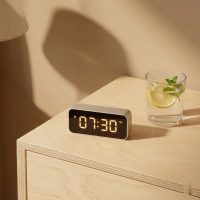
Ever feel like time slips through your fingers? You set a mental reminder, promise yourself just “five more minutes,” and suddenly, an hour has vanished. It’s a universal struggle, but what if you could actually see time moving? That’s where the magic of a digital visual timer comes in. These clever gadgets and apps transform the abstract concept of time into a concrete, visible experience, helping you stay focused, manage tasks, and navigate your day with greater ease and less stress.
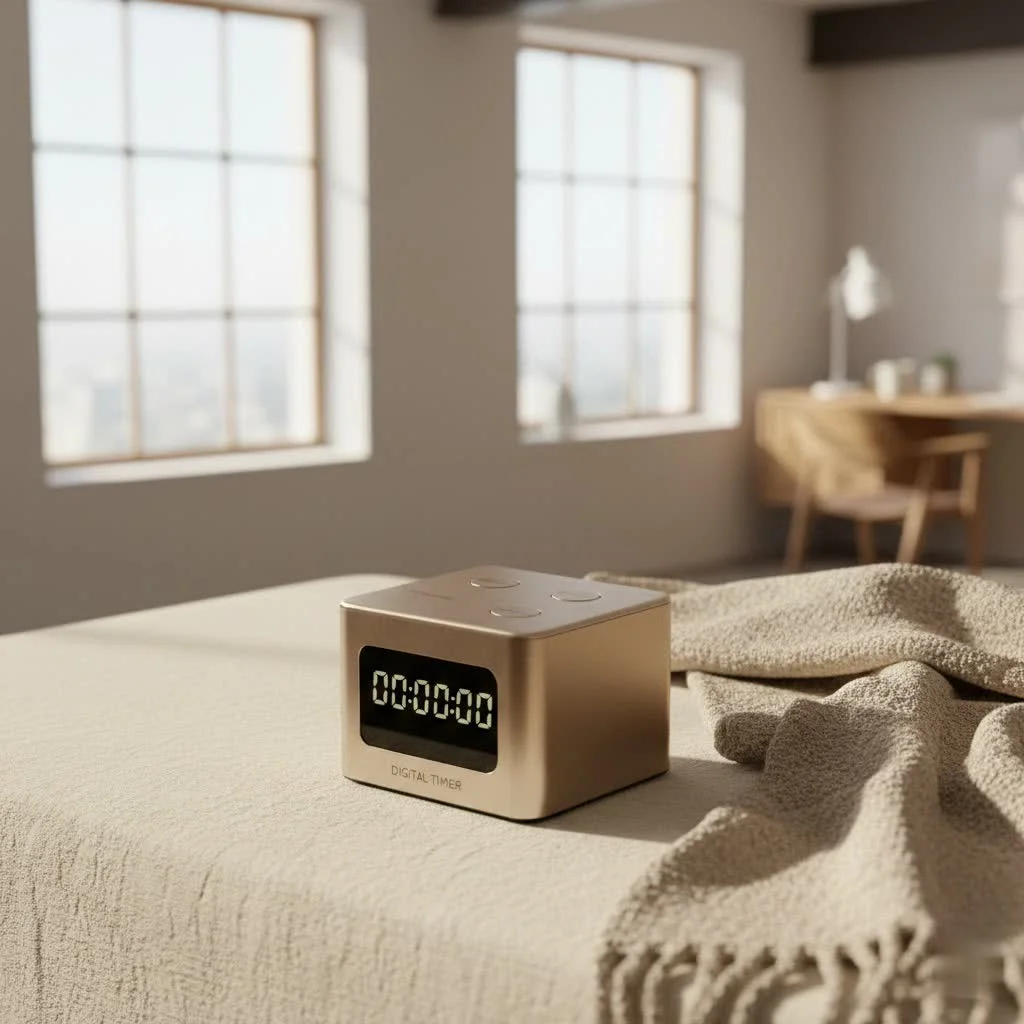
At Kenws.com, we believe in empowering you with the tools and knowledge to optimize every aspect of your life. And when it comes to time management, a digital visual timer isn’t just a tool; it’s a game-changer. Whether you’re a busy parent, a student grappling with deadlines, a professional seeking peak productivity, or someone supporting a loved one with unique time perception needs, understanding and utilizing these timers can unlock a new level of efficiency and calm. Let’s dive deep into the world of visible time and discover how a digital visual timer can revolutionize your daily rhythm.
What Exactly is a Digital Visual Timer?
Think of a traditional timer, and you likely picture numbers counting down or a simple “ding” when time is up. A digital visual timer takes this concept and elevates it. It’s an electronic device or application designed to display the passage of time through visual cues, making it easy to grasp how much time remains at a glance. Instead of just seeing “10:00” tick down to “00:00,” you might see a colored disk gradually shrinking, a progress bar filling or emptying, or even a series of dots disappearing one by one.
This visual representation is key. For many, especially children and individuals who process information visually, seeing time physically diminish makes it tangible and less intimidating. It provides a constant, gentle reminder without the harshness of an unexpected alarm. This makes it an incredibly effective tool for understanding duration and managing expectations, offering a silent, continuous prompt to stay on task or prepare for a transition.
Why You Need a Digital Visual Timer in Your Life
The benefits of integrating a digital visual timer into your daily routine are extensive, impacting productivity, emotional well-being, and overall efficiency.
Enhanced Focus and Productivity
In our distraction-filled world, maintaining focus is a superpower. A digital visual timer acts as your personal accountability partner, providing a clear visual representation of your remaining task time. This subtle pressure can significantly improve concentration, helping you tune out distractions and commit fully to the task at hand. It’s perfect for structured work sessions like the Pomodoro Technique, where defined periods of focused work are followed by short breaks.
Demystifying Time for All Ages
|
Our Picks for the Best Digital Timer in 2026
As an Amazon Associate I earn from qualifying purchases.
|
||
| Num | Product | Action |
|---|---|---|
| 1 | Elegant Digital Kitchen Timer, Stainless Steel Model eT-23, Super Strong Magnetic Back, Loud Alarm, Large Display, Auto Memory, Auto Shut-Off by eTradewinds |

|
| 2 | Visual Kitchen Timer for Cooking,Chef Cooking Timers Clock with Loud Alarm,Timers for Classroom, Home and Study,Mechanical Desk Timer,No Batteries Required,Magnetic Back (Red) |
|
| 3 | VOCOO Digital Kitchen Timer with 7.8” Extra Large Display, Magnetic LED, with 3 Brightness, 4 Alarms and 3 Volume Levels, Battery Powered Countdown Count Up Timer for Cooking, Classroom, Home Gym |
|
| 4 | Easy to USE, Digital Kitchen Timer, Magnetic Timer,Tanmalan(Black,1 Pack) |
|
| 5 | 6 Pack Multi-Function Electronic Timer, Learning Management, Suitable for Kitchen, Study, Work, Exercise Training, Outdoor Activities(not Including Battery) |
|
| 6 | 2 Pack Digital Kitchen Timer for Cooking Big Digits Loud Alarm Magnetic Backing Stand Cooking Timers for Baking White |
|
| 7 | Allbean Magnetic Kitchen Timer for Cooking with Loud Alarm - Large LED Display Rotating Countdown Pomodoro Timer, Preset 5/15/25 Mins Easy for Seniors and Kids,for Baking Grilling Studying |
|
| 8 | GuDoQi Digital Hourglass Pomodoro Timer, Magnetic 1-99 Mins Adjustable Rechargeable Digital Countdown ADHD Timer, Mute/Low Volume/High Low Volume Modes for Work, Study, Back to School, Kitch, Black |
|
| 9 | Azosowo 2 Pack Digital Timer for Kids, Magnetic Kitchen Timers for Cooking, Egg, Teachers, Classroom, Study, Exercise, Oven Baking - AAA Battery Included |
|
| 10 | VOCOO Digital Kitchen Timer - Magnetic Countdown Countup Timer with Large LED Display Volume Adjustable, Easy for Cooking and for Seniors and Kids to Use (Space Grey) |
|
Time is an abstract concept, particularly for young children or individuals with neurodevelopmental differences like ADHD or autism. A digital visual timer helps make time concrete and understandable. Instead of just hearing “you have five minutes,” they can see the five minutes vanishing, which helps them develop a better internal sense of time. This can be invaluable for teaching time management skills from an early age.
Reducing Anxiety During Transitions
Transitions can be tough. Moving from a preferred activity to a less preferred one, or simply shifting from one task to another, often sparks anxiety or resistance. A digital visual timer provides a clear, non-verbal warning that a change is coming. Seeing the time tick down allows individuals to mentally and emotionally prepare, reducing stress and making transitions smoother for everyone involved.
Boosting Independence and Self-Regulation
Imagine a child who can independently manage their screen time or complete their homework without constant adult prompting. A digital visual timer empowers users to take ownership of their schedule. By visually tracking their progress, they learn to regulate their own behavior, developing crucial self-management skills that foster independence and build confidence.
Breaking Down Big Tasks
Large, complex projects can feel overwhelming. A digital visual timer is an excellent tool for breaking these tasks into manageable segments. By setting the timer for shorter, focused bursts, you can tackle one piece at a time, making daunting goals feel achievable and reducing procrastination.
Managing Screen Time Effectively
For both kids and adults, screen time can easily spiral out of control. A digital visual timer offers a neutral, objective way to set and enforce limits. When the visual countdown disappears, the screen time is over. This method avoids endless negotiations and fosters a healthier relationship with digital devices.
Types of Digital Visual Timers: Finding Your Perfect Match
While the core function remains the same, digital visual timers come in various forms, each offering unique features and catering to different needs.
Standalone Devices
These are physical timers with their own LCD screens, often featuring a dedicated visual element like a shrinking colored area or a sequence of lights. They typically operate on batteries, making them portable, and are often designed for simplicity with easy-to-use buttons or a single knob for setting time. Many offer silent countdown options with a blinking LED or vibration instead of an audible alarm, which is perfect for quiet environments.
Software/App-Based Timers
Your smartphone, tablet, or computer can easily become a powerful digital visual timer through dedicated apps or online widgets. These often offer a wide array of customization options, from different visual themes and alarm sounds to repeating timer functions and integration with other productivity tools. They are convenient for those who always have their devices nearby, though care must be taken to minimize distractions from other notifications.
Hybrid Models
Some timers blend the best of both worlds. The classic Time Timer, for instance, traditionally uses a red disk that visibly disappears, functioning like an analog visual timer. However, many modern versions incorporate digital elements, offering digital time displays alongside the visual disk, or integrating into smart home systems. These hybrid models often appeal to those who appreciate the tactile experience of a physical timer combined with digital precision.
When choosing, consider factors like size and portability, whether you prefer battery-operated or rechargeable options, and if additional features like a clock function or multiple alarms are important to you.
Where Digital Visual Timers Shine: Real-World Applications
The versatility of a digital visual timer means it can be applied in countless scenarios to improve various aspects of life.
In the Classroom
Educators around the globe leverage digital visual timers for effective classroom management and enhanced learning. “I’ve seen firsthand how a visual timer can calm a bustling classroom,” says Dr. Elena Rodriguez, an educational psychologist specializing in child development. “It gives children a concrete understanding of activity duration, reducing disruptions and making transitions seamless.”
- Classroom Management: Use them to time group work, independent study, cleanup periods, or even “brain breaks” between subjects. The visual cue helps maintain order and ensures everyone stays on schedule.
- Supporting Diverse Learners: For students with ADHD, autism, or other learning differences, a visual timer is an invaluable aid in understanding the flow of the day, managing expectations, and reducing anxiety about upcoming changes.
- Quiz and Activity Timing: Clearly display how much time students have left for tests or specific tasks, promoting better time allocation and reducing stress.
At Home
From chaotic mornings to winding down evenings, a digital visual timer can bring structure and peace to your household.
- Establishing Routines: Use it for morning routines (getting dressed, eating breakfast), bedtime routines (brushing teeth, reading a story), or chore completion. Kids can see exactly how long they have, fostering independence.
- Homework and Chores: Break down homework sessions into manageable chunks or time household chores to make them feel less daunting.
- Cooking and Baking: Many advanced digital visual timers come with multiple countdowns, making them perfect for juggling various dishes in the kitchen.
- Managing Screen Time for Kids (and Adults!): This is one of the most popular uses. Set the timer, and when the visual time runs out, the screen goes off—no arguments, just an objective indicator.
- Structured Playtime: Give children a visual cue for how much longer they have to play before it’s time to clean up or move to a new activity, significantly reducing meltdowns.
In the Workplace & for Personal Productivity
Professionals swear by digital visual timers for boosting focus and efficiency.
- Pomodoro Technique and Time Blocking: These timers are ideal for implementing structured work methods, helping you stay hyper-focused for set intervals (e.g., 25 minutes) followed by short breaks.
- Keeping Meetings on Track: Use a visual timer to manage meeting agendas, ensuring discussions stay within allocated times and that all points are covered efficiently.
- Focused Work Sessions: Whether writing reports, coding, or brainstorming, a visual timer helps you dedicate uninterrupted attention to your most important tasks.
- Taking Mindful Breaks: Use it to ensure your breaks are restorative but don’t extend indefinitely, helping you return to work refreshed and on schedule.
Choosing Your Ideal Digital Visual Timer: A Buyer’s Guide
With so many options on the market, selecting the right digital visual timer requires a bit of thought. Here’s what to consider:
- Consider Your Primary Use Case:
- For Kids/Special Needs: Look for clear, highly visible displays (large numbers, bold colors), durable construction, and quiet or customizable alarm options. The Time Timer brand is often recommended for its iconic red disk.
- For Work/Productivity: Focus on precise timing, portability, and features like silent alerts, multiple timers, and easy setup for quick adjustments.
- For Kitchen/Cooking: Water resistance, loud alarms, and magnetic backs for fridge attachment are practical features.
- Display Clarity: Can you easily see the time remaining from across the room? Is the visual element intuitive? Consider screen size, brightness, and whether a backlight is necessary.
- Ease of Use & Programming: A good digital visual timer should be straightforward to set and operate. Look for intuitive buttons, dials, or touchscreens. Complex programming can hinder its effectiveness in fast-paced environments.
- Alarm Options: Do you need a loud alarm, a gentle beep, a vibration, or a blinking LED for silent notifications? Many timers offer adjustable volumes or the option to turn sound off entirely.
- Durability & Portability: If you plan to move your timer frequently, a robust build quality and compact design are essential. Some come with protective silicone covers.
- Battery Life/Power Source: Decide if you prefer a device with long-lasting replaceable batteries (e.g., AA/AAA) or a rechargeable unit, which might be more eco-friendly in the long run.
- Additional Features: Do you need a built-in clock, an alarm function for waking up, a count-up mode, or a repeating timer? Some timers include magnets for mounting or kickstands for desktop use.
- Budget: Digital visual timers range in price. Determine your needs versus your budget to find the best value.
Getting Started: Using and Programming Your Digital Visual Timer
Integrating your new digital visual timer into your routine is straightforward.
Basic Setup
Most physical digital visual timers will have simple controls:
- Power On: Locate the power button or switch.
- Set Time: Use a knob or “up/down” buttons to select your desired countdown duration.
- Start/Pause: Press a dedicated button to begin the countdown. The visual element will start to diminish. You can often pause and resume if needed.
- Reset: A reset button will clear the current time and prepare the timer for a new setting.
For app-based timers, the interface is typically tap-and-drag or numerical input.
Programming Advanced Features
Some advanced digital visual timer models offer more capabilities:
- Repeating Timers: Look for a “repeat” function to automatically restart the countdown after it finishes, useful for interval training or classroom rotations.
- Multiple Timers: Certain devices or apps allow you to run several timers simultaneously, perfect for cooking complex meals or managing different tasks.
- Customized Visuals/Alarms: Apps often let you choose different visual styles, sounds, or even set custom notifications for when time is nearly up.
Tips for Effective Use
- Communicate Expectations Clearly: Especially with children, explain why you’re using the timer and what will happen when it ends.
- Place It Visibly: The whole point is the visual cue! Position the digital visual timer where everyone who needs to see it can easily do so.
- Be Consistent: Regular use helps establish routines and reinforces the concept of visible time.
- Involve Users: Let children help set the timer, giving them a sense of control and ownership over their schedule.
Troubleshooting Common Digital Visual Timer Issues
Even the best technology can sometimes have a hiccup. Here are quick fixes for common problems:
- Timer Not Starting/Stopping:
- Check Batteries/Power: Ensure fresh batteries are installed correctly or the device is properly charged/plugged in.
- Correct Button Press: Sometimes a button needs to be held longer or pressed differently. Consult your user manual.
- Mode Selection: Verify you’re in the correct mode (countdown vs. count-up, or timer vs. clock).
- Inaccurate Timing:
- Verify Settings: Double-check that the time was set correctly.
- Reset: A quick reset can often resolve minor software glitches.
- Alarm Issues:
- Volume Settings: Ensure the volume isn’t turned off or too low.
- Silent Mode: Check if the timer is set to a silent mode (vibration, blinking LED) instead of an audible alarm.
- Battery Level: Low battery can sometimes affect alarm functionality.
- Display Problems:
- Backlight: If it has a backlight, ensure it’s activated or that there’s enough ambient light for a trans-reflective display.
- Battery: A fading display often indicates low battery.
- Damage: Inspect the screen for any physical damage.
- Connectivity Issues (for app-based timers):
- App Updates: Ensure your timer app is updated to the latest version.
- Device Compatibility: Check if the app is compatible with your operating system version.
- Restart App/Device: A simple restart can often resolve temporary software conflicts.
Expert Insight: “The Art of Visible Time”
“In a world where attention is currency, the digital visual timer is an essential tool for reclaiming our focus,” shares Dr. Anya Sharma, a renowned behavioral psychologist. “It transforms the intangible into something we can see and manage, empowering individuals to master their moments rather than being swept away by them. From fostering independence in children to sharpening adult productivity, making time visible is truly an art form that yields profound practical benefits.”
FAQ: Your Digital Visual Timer Questions Answered
- What is the main difference between a digital visual timer and a traditional timer?
A traditional timer typically just shows numbers or gives an audible alert. A digital visual timer adds a clear, dynamic visual representation of time passing, such as a shrinking color or a progress bar, making time more intuitive to perceive. - Are digital visual timers only for kids?
Absolutely not! While they are incredibly beneficial for children, especially those learning time concepts or managing transitions, adults widely use digital visual timers for productivity, focus, exercise intervals, cooking, and mindful breaks. - Can a digital visual timer help with ADHD?
Yes, many individuals with ADHD find digital visual timers extremely helpful. The visual cue helps with time blindness, improves focus, reduces anxiety around transitions, and aids in breaking down tasks into manageable segments. - How long can a digital visual timer typically run for?
The maximum duration varies by model and type. Many physical timers can run for 60 minutes or up to 99 minutes. Some digital apps or online timers can be set for much longer durations, even hours, offering greater flexibility for various tasks. - Do digital visual timers usually have sound?
Most digital visual timers offer an audible alarm, but many also include options for silent alerts, such as a blinking LED light or vibration, which are ideal for quiet environments like libraries or offices. - How do I clean my physical digital visual timer?
For physical digital visual timers, use a soft, damp cloth with a mild cleaner (avoiding harsh chemicals) to wipe down the surface. Ensure no liquid enters the electronic components, and always check the manufacturer’s cleaning instructions. - Can I use a digital visual timer for the Pomodoro Technique?
Yes, a digital visual timer is perfectly suited for the Pomodoro Technique. Its clear visual countdown helps you stay focused during the 25-minute work intervals and provides an obvious indicator for when it’s time for a short break.
Conclusion
The journey to better time management doesn’t have to be a constant uphill battle. With a digital visual timer, you gain a powerful ally that makes the invisible visible, transforming your relationship with time. From fostering independence in children and smoothing out daily routines to supercharging adult productivity and reducing anxiety, these innovative tools offer tangible benefits for everyone.
Embrace the clarity and control that a digital visual timer brings. Explore the various types available, choose the one that best fits your lifestyle, and start experiencing the profound difference that visible time can make. Take charge of your moments, optimize your days, and discover a more focused, organized, and stress-free way of living. What will you achieve when every second becomes truly visible?
Smart home that does not lock you in
Practical specs, not advice. Unsubscribe anytime.