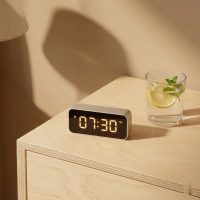
In our fast-paced world, reclaiming control over our daily routines can feel like a superpower. That’s where a digital timer with remote steps in, transforming how we manage everything from our morning coffee to our garden lights. Gone are the days of fumbling with tiny buttons or rushing outdoors in the rain to adjust a schedule. With the power of remote control, precision timing is literally at your fingertips, offering unparalleled convenience, efficiency, and peace of mind right from your couch.

As a veteran in the field of digital timers and a key voice at Kenws.com, I’ve seen these devices evolve from simple mechanical switches to sophisticated control systems. They’re not just gadgets; they’re essential tools that enhance our lives, whether at home, in the gym, or even in demanding industrial settings. Let’s dive deep into understanding these remarkable devices and how they can revolutionize your world.
What Exactly is a Digital Timer with Remote Control?
At its core, a digital timer with remote is an electronic device designed to activate or deactivate electrical appliances or systems at predetermined times, but with the added convenience of wireless control. Unlike older mechanical timers, which rely on gears and dials, digital versions offer precise, programmable scheduling down to the minute, often across multiple days. The “remote” aspect means you can manage these settings, override schedules, or manually toggle devices on and off from a distance, without needing to physically interact with the timer unit itself. This blend of digital precision and wireless flexibility makes them incredibly versatile and user-friendly.
Types of Digital Timers with Remote: Finding Your Perfect Match
The world of digital timers with remote controls is surprisingly diverse, catering to a wide array of needs. Choosing the right one depends heavily on your specific application.
A. Household & Outdoor Timers
These are perhaps the most common types, designed to simplify daily tasks and enhance home security.
- Plug-in Models: Perfect for indoor lamps, slow cookers, charging electronics, or even holiday decorations. Many come with multiple outlets, allowing you to control several devices simultaneously. Imagine your bedroom lamp turning on before you get home, creating a welcoming atmosphere.
- Weather-Resistant Outdoor Units: These rugged timers are built to withstand the elements, making them ideal for garden lights, patio string lights, pond pumps, or seasonal displays. They often feature robust housing to protect against rain, snow, and extreme temperatures. Many include preset schedules like “dusk-to-dawn” or options to turn off after a set number of hours. MyTouchSmart offers outdoor timers with weather-resistant plug-in receivers and wireless remotes that work up to 100 feet away, even offering preset schedules for evening, morning, or all night, alongside custom programming. This means you can adjust your festive lights from the warmth of your home, even when it’s pouring outside.
B. Professional & Industrial Timers
|
Our Picks for the Best Digital Timer in 2026
As an Amazon Associate I earn from qualifying purchases.
|
||
| Num | Product | Action |
|---|---|---|
| 1 | VOCOO Digital Kitchen Timer - Magnetic Countdown Countup Timer with Large LED Display Volume Adjustable, Easy for Cooking and for Seniors and Kids to Use (Space Grey) |

|
| 2 | Allbean Magnetic Kitchen Timer for Cooking with Loud Alarm - Large LED Display Rotating Countdown Pomodoro Timer, Preset 5/15/25 Mins Easy for Seniors and Kids,for Baking Grilling Studying |
|
| 3 | VOCOO Digital Kitchen Timer with 7.8” Extra Large Display, Magnetic LED, with 3 Brightness, 4 Alarms and 3 Volume Levels, Battery Powered Countdown Count Up Timer for Cooking, Classroom, Home Gym |
|
| 4 | 2 Pack Digital Kitchen Timer for Cooking Big Digits Loud Alarm Magnetic Backing Stand Cooking Timers for Baking White |
|
| 5 | Azosowo 2 Pack Digital Timer for Kids, Magnetic Kitchen Timers for Cooking, Egg, Teachers, Classroom, Study, Exercise, Oven Baking - AAA Battery Included |
|
| 6 | 6 Pack Multi-Function Electronic Timer, Learning Management, Suitable for Kitchen, Study, Work, Exercise Training, Outdoor Activities(not Including Battery) |
|
| 7 | Visual Kitchen Timer for Cooking,Chef Cooking Timers Clock with Loud Alarm,Timers for Classroom, Home and Study,Mechanical Desk Timer,No Batteries Required,Magnetic Back (Red) |
|
| 8 | Elegant Digital Kitchen Timer, Stainless Steel Model eT-23, Super Strong Magnetic Back, Loud Alarm, Large Display, Auto Memory, Auto Shut-Off by eTradewinds |
|
| 9 | Easy to USE, Digital Kitchen Timer, Magnetic Timer,Tanmalan(Black,1 Pack) |
|
| 10 | GuDoQi Digital Hourglass Pomodoro Timer, Magnetic 1-99 Mins Adjustable Rechargeable Digital Countdown ADHD Timer, Mute/Low Volume/High Low Volume Modes for Work, Study, Back to School, Kitch, Black |
|
For environments demanding robust performance and specialized timing, industrial-grade digital timers with remotes are indispensable.
- Large Display Countdown/Count-up Timers: These units feature oversized LED numbers for clear visibility across large spaces like warehouses, gyms, or production floors. They often boast durable enclosures, such as tough 14-gauge aluminum, built to withstand challenging environments.
- Advanced Features for Workflow: Some industrial timers offer unique functionalities like a “negative count back-up,” where the timer counts upward with a negative sign after reaching zero. This is incredibly useful for tracking elapsed time beyond a deadline, helping to regulate workflow and monitor efficiency in real-time. Imagine a manufacturing line where every second counts; a clear, remote-controlled timer can keep everyone in sync.
C. Specialized Timers
Beyond general home and industrial use, digital timers with remote control shine in niche applications requiring precise, hands-off operation.
- Fitness/Gym Interval Timers: For athletes and trainers, these timers are game-changers. They allow for programming complex workout routines with adjustable work and rest intervals, controlled remotely to keep the session flowing without interruption. This is fantastic for Tabata, MMA, or circuit training, where precise timing is crucial for optimal results.
- Camera Shutter Release Timers: Photographers, especially those keen on time-lapse, long exposures, or astrophotography, rely on these remotes to trigger their camera’s shutter without causing any vibration. They can program intricate sequences of shots over extended periods, freeing them from constant manual intervention and ensuring tack-sharp images.
- Event/Meeting Management Timers: In professional settings, large digital wall clocks with remote control help keep presentations, conferences, and meetings on schedule. Presenters can see their remaining time clearly, while event managers can adjust the clock discreetly from the back of the room, ensuring smooth transitions and punctuality.
The Unbeatable Benefits of Going Remote
Why opt for a digital timer with remote over a basic programmable timer? The advantages are significant and touch upon convenience, efficiency, and security.
A. Unmatched Convenience and Control
The primary draw of a remote-controlled timer is the sheer convenience it offers. Adjusting schedules, manually switching devices, or simply checking the timer status can be done from anywhere within the remote’s range. No more bending over to reach an outlet behind furniture, or stepping out into inclement weather to turn off outdoor lights. This allows for effortless management, whether you’re relaxing indoors or overseeing a process from a distance.
B. Boosted Energy Efficiency and Cost Savings
Automating your electrical devices with a remote digital timer is a smart way to manage energy consumption. You can precisely schedule when lights, heaters, or fans operate, ensuring they only run when needed. Many timers offer advanced features like random mode, which can adjust on/off times slightly to simulate occupancy for enhanced security, or intelligent lighting management that adapts to ambient light conditions. This optimization leads to tangible reductions in your electricity bill and a greener footprint.
C. Enhanced Security and Peace of Mind
A digital timer with remote plays a crucial role in home security. By scheduling lights and other devices to turn on and off while you’re away, you create the illusion of an occupied home, deterring potential intruders. The ability to manually override these settings via remote adds another layer of control, letting you react to changing situations instantly. This feature, combined with the “set it once and forget it” reliability, provides invaluable peace of mind.
D. Precision and Productivity in Various Fields
From ensuring your athletic training intervals are spot-on to managing complex manufacturing processes, these timers bring a new level of precision. In photography, they eliminate camera shake, crucial for crisp images, while in event management, they keep everything flowing smoothly. “The ability to fine-tune timings and initiate commands without physical interaction is a game-changer for efficiency across so many sectors,” notes Kenws.com’s lead engineer, Dr. Evelyn Reed. “It empowers users to focus on the task, not the clock.”
How to Choose the Right Digital Timer with Remote for Your Needs
Selecting the ideal digital timer with remote can seem daunting with so many options available. Here’s what to consider:
A. Consider Your Application
- Indoor vs. Outdoor: This is critical. Outdoor timers need to be weather-resistant and often have multiple grounded outlets. Indoor timers are typically simpler plug-in units.
- Specific Device Control: Are you timing lights, appliances, heavy-duty equipment, or a camera? Ensure the timer’s electrical rating matches the device’s requirements.
- Complexity of Schedule: Do you need simple daily on/off, weekly programming with different schedules for each day, or interval timing?
B. Evaluate Key Features
- Remote Range: How far do you need to control your devices? Ranges vary significantly, from a few dozen feet for household units to over a thousand feet for industrial models.
- Programmability: Look for countdown, count-up, preset programs, and custom scheduling options. Some offer up to 8 or even 16 on/off cycles per day.
- Display: A clear, backlit LCD or large LED display is essential for easy reading, especially in varying light conditions. Adjustable brightness can also be a plus.
- Power Source: Most plug into an outlet, but some remotes or specialized timers might be battery-operated or rechargeable.
- Number of Outlets: For controlling multiple devices, choose a timer with several grounded outlets.
- Memory Function: Some timers will retain settings even after a power outage, saving you the hassle of reprogramming.
C. Durability and Weather Resistance
For outdoor applications or tough industrial environments, weather-resistant and robust construction is non-negotiable. Look for terms like “weather-resistant housing” or “tough aluminum enclosure” in product descriptions.
D. Ease of Use and Programming Interface
A user-friendly interface is key. While many digital timers follow similar programming logic, some are more intuitive than others. Look for clear buttons (e.g., CLOCK, PROG, HOUR, MIN, WEEK) and easy-to-understand displays. Reviews often highlight how simple or complex a timer is to program.
Getting Started: Programming Your Digital Timer with Remote
While specific steps vary by model, programming a digital timer with remote generally follows a few common stages. Think of it like setting a smart alarm clock, but for your entire home.
A. Setting the Current Time and Day
This is your crucial first step. Locate the “CLOCK” or “SET TIME” button. You’ll usually press and hold it while using “HOUR,” “MIN,” and “WEEK” or “DAY” buttons to adjust the current time and day. Release the “CLOCK” button to save. Double-check for AM/PM settings if applicable.
B. Creating Your Schedules
Now for the magic!
- Enter Programming Mode: Press the “PROG” or “SET” button. The display might show “1 ON,” indicating the first “ON” event you’re setting.
- Set “ON” Time: Use “HOUR,” “MIN,” and “WEEK” (or “DAY”) buttons to specify when you want your device to turn on and on which days.
- Set “OFF” Time: Press “PROG” again, and the display will likely show “1 OFF.” Repeat the process to set the turn-off time and days.
- Add More Programs: Most timers allow for multiple ON/OFF programs (e.g., “2 ON,” “2 OFF”). Repeat steps 2 and 3 for each additional schedule you need.
C. Activating “Auto” Mode
Once all your programs are set, you typically need to switch the timer to “AUTO” or “TIMER” mode. There’s often an “ON/AUTO/OFF” button. Toggle it until “AUTO” or a similar indicator is visible on the display. This tells the timer to follow your programmed schedule. If it’s in “ON” mode, it’ll stay on constantly; in “OFF” mode, it’ll stay off.
D. Advanced Tips
- Random Function: Many timers include a “RANDOM” mode (sometimes called “Time Extending Feature”) for security. This subtly varies your programmed ON/OFF times by a few minutes, making your home look more genuinely occupied.
- Daylight Saving Time (DST): Some timers have a quick function for adjusting for DST. Check your manual; it might be a simultaneous press of “HOUR” and “MIN”.
Troubleshooting Common Digital Timer Remote Issues
Even the most robust digital timer with remote can sometimes act up. Here are quick fixes for common problems:
- “My timer isn’t turning on/off as programmed.”
- Check Current Time/Day: Ensure the current time and day are set accurately. An incorrect clock can throw off all schedules.
- Verify ON/OFF Times: Double-check that your programmed ON and OFF times are correct and don’t overlap in unexpected ways.
- Confirm “Auto” Mode: Make sure the timer is set to “AUTO” or “TIMER” mode, not manual “ON” or “OFF”.
- Power Supply: Is the timer unit receiving power? Is the remote’s battery fresh?
- “The remote isn’t working.”
- Check Batteries: This is often the simplest fix. Replace remote batteries.
- Range Interference: Are you too far from the timer, or are there thick walls or other obstacles blocking the signal? Try moving closer.
- Line of Sight: Some remotes, especially older infrared types, require a direct line of sight. Newer RF remotes are less susceptible.
- Signal Failure: Occasionally, a turn-off signal might fail due to interference, requiring a manual press of the stop button on the remote.
- “My settings are lost after a power outage.”
- Internal Battery: Many digital timers have a small internal battery to retain settings during power interruptions. If this battery is depleted or the timer lacks one, you might need to reprogram it. Consider a model with robust memory features for critical applications.
- “My device isn’t responding to the timer.”
- Is the device plugged in correctly to the timer?
- Is the device itself working when plugged directly into a wall outlet? The issue might be with the appliance, not the timer.
If problems persist, a full reset and reprogramming of the timer, following the manufacturer’s instructions, is often the best course of action.
Conclusion
The digital timer with remote is an understated yet powerful tool for modern living. It’s more than just a gadget; it’s an investment in convenience, efficiency, and peace of mind. From automating your holiday lights and securing your home to precisely managing complex industrial processes or perfecting your photographic art, the ability to control time from a distance simplifies countless aspects of our lives.
Embrace the power of smart scheduling and wireless control. Explore the diverse range of digital timers with remote available today, and find the perfect fit to streamline your world. Once you experience the effortless command they offer, you’ll wonder how you ever managed without one. Take control, optimize your time, and enjoy the benefits of a smarter, more connected environment.
Smart home that does not lock you in
Practical specs, not advice. Unsubscribe anytime.