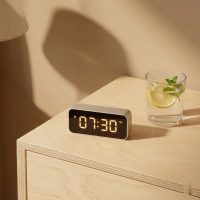
In the fast-paced world of cooking, where every second can make the difference between a perfectly seared steak and an overcooked disaster, precision is paramount. For over a decade, I’ve seen countless culinary enthusiasts and professional chefs elevate their game with one indispensable tool: the digital kitchen timer. As your trusted guide from Kenws.com, I’m here to demystify these devices, transforming them from simple gadgets into your kitchen’s most reliable assistant. A good digital kitchen timer is more than just a clock; it’s the secret ingredient for consistent, stress-free cooking, helping you achieve culinary perfection every single time.
What Makes a Digital Kitchen Timer Indispensable?
Many home cooks might think a smartphone or oven timer is enough, but a dedicated digital kitchen timer offers advantages that go far beyond basic timekeeping.
Precision and Consistency
Unlike analog timers that can be prone to slight inaccuracies, digital kitchen timers offer exact minute and second countdowns, ensuring your recipes follow precise timing instructions. This is crucial for delicate baking, perfect al dente pasta, or any dish where timing is critical for texture and flavor.
Multitasking Maestro
Picture this: you’re roasting a chicken, boiling potatoes, and sautéing greens all at once. Without a reliable way to track each element, chaos ensues. Many digital kitchen timers come with multiple channels, allowing you to set several independent timers simultaneously. This feature is a game-changer for managing complex meals, ensuring everything finishes cooking right on schedule.
Beyond Basic Timing
While counting down is their primary function, many digital kitchen timers offer versatile features. A count-up (stopwatch) function is fantastic for tracking resting times for meat or fermentation processes. Some even integrate a clock display, keeping you aware of the actual time while your culinary creations simmer and bake.
Types of Digital Kitchen Timers
The market offers a range of digital kitchen timers, each designed with specific needs in mind. Understanding the variations helps you choose the perfect fit for your cooking style.
Single-Event Timers
These are straightforward, no-frills timers, typically designed for one countdown or count-up task at a time. They are ideal for simple cooking tasks like boiling eggs or steeping tea. Their simplicity often means larger displays and fewer buttons, making them incredibly user-friendly.
Multi-Channel Timers
For those who juggle multiple dishes, a multi-channel digital kitchen timer is a lifesaver. These devices, often featuring dual or triple timers, allow you to track several cooking processes simultaneously. Each timer usually has its own display segment and a unique alarm sound, so you know exactly which dish needs attention without looking at the screen.
Advanced Models
|
Our Picks for the Best Digital Timer in 2026
As an Amazon Associate I earn from qualifying purchases.
|
||
| Num | Product | Action |
|---|---|---|
| 1 | Azosowo 2 Pack Digital Timer for Kids, Magnetic Kitchen Timers for Cooking, Egg, Teachers, Classroom, Study, Exercise, Oven Baking - AAA Battery Included |

|
| 2 | 6 Pack Multi-Function Electronic Timer, Learning Management, Suitable for Kitchen, Study, Work, Exercise Training, Outdoor Activities(not Including Battery) |
|
| 3 | Easy to USE, Digital Kitchen Timer, Magnetic Timer,Tanmalan(Black,1 Pack) |
|
| 4 | Elegant Digital Kitchen Timer, Stainless Steel Model eT-23, Super Strong Magnetic Back, Loud Alarm, Large Display, Auto Memory, Auto Shut-Off by eTradewinds |
|
| 5 | GuDoQi Digital Hourglass Pomodoro Timer, Magnetic 1-99 Mins Adjustable Rechargeable Digital Countdown ADHD Timer, Mute/Low Volume/High Low Volume Modes for Work, Study, Back to School, Kitch, Black |
|
| 6 | VOCOO Digital Kitchen Timer - Magnetic Countdown Countup Timer with Large LED Display Volume Adjustable, Easy for Cooking and for Seniors and Kids to Use (Space Grey) |
|
| 7 | VOCOO Digital Kitchen Timer with 7.8” Extra Large Display, Magnetic LED, with 3 Brightness, 4 Alarms and 3 Volume Levels, Battery Powered Countdown Count Up Timer for Cooking, Classroom, Home Gym |
|
| 8 | 2 Pack Digital Kitchen Timer for Cooking Big Digits Loud Alarm Magnetic Backing Stand Cooking Timers for Baking White |
|
| 9 | Allbean Magnetic Kitchen Timer for Cooking with Loud Alarm - Large LED Display Rotating Countdown Pomodoro Timer, Preset 5/15/25 Mins Easy for Seniors and Kids,for Baking Grilling Studying |
|
| 10 | Visual Kitchen Timer for Cooking,Chef Cooking Timers Clock with Loud Alarm,Timers for Classroom, Home and Study,Mechanical Desk Timer,No Batteries Required,Magnetic Back (Red) |
|
Beyond basic timing, some digital kitchen timers come packed with extra features like memory functions to recall previous settings, backlight displays for dimly lit kitchens, mute options for quiet environments, and even alarm clock capabilities. These timers cater to serious home chefs and professionals who demand maximum flexibility and functionality from their tools.
Key Features to Look for in a Digital Kitchen Timer
Choosing the right digital kitchen timer can feel overwhelming with so many options available. Here’s what to consider to make an informed decision:
Display and Readability
A clear, easy-to-read display is non-negotiable. Look for models with large LCD screens and bold digits that are visible from across the kitchen. A backlight feature is particularly useful for low-light conditions, ensuring you can always check the time without straining your eyes. Inverse displays (light digits on a dark background) can also enhance readability.
Controls and Ease of Use
Your digital kitchen timer should be intuitive to operate. Seek out timers with large, responsive buttons that are easy to press, even with floury hands. Features like rapid scrolling when holding down buttons and a one-touch reset function significantly improve usability. If setting a timer feels like rocket science, you’re less likely to use it.
Alarm Volume and Settings
An effective alarm is crucial. Can you hear it over the sizzle of a pan or the hum of a range hood? Many digital kitchen timers offer adjustable volume settings, including a mute option, which is perfect for quiet environments or when you prefer a visual alert. For multi-channel timers, distinct alarm tones for each timer help avoid confusion.
Mounting and Portability
How will you keep your timer within reach? Many digital kitchen timers come with strong magnetic backs, allowing them to cling securely to your refrigerator, oven, or range hood. A fold-out kickstand provides tabletop stability, while a clip can attach it to an apron or pocket. Versatile mounting options ensure your timer is always where you need it.
Timing Range and Functions
Consider the longest time you might need to track. Most digital kitchen timers offer a range up to 99 minutes and 59 seconds, which is sufficient for many tasks. However, some go up to 24 hours or even 99 hours, 59 minutes, and 59 seconds, ideal for slow cooking, braises, or extended proofing. Don’t forget to check for both count-down and count-up functionalities.
Durability and Design
Kitchen environments can be tough on electronics. Look for timers made from robust materials that can withstand splashes and minor impacts. While not strictly a feature, the timer’s design matters too – choose one that complements your kitchen’s aesthetic.
Putting Your Digital Kitchen Timer to Work: A How-To Guide
Getting the most out of your digital kitchen timer is simpler than you might think. While specific steps can vary by model, here are the general instructions you’ll find for most devices.
Setting a Countdown Timer
- Power On: If your timer has an on/off switch, ensure it’s in the “on” position.
- Select Timer Mode: Many timers have a “MODE” button to switch between Timer, Clock, or Alarm functions. Press it until “TIMER” or a similar indicator appears.
- Set Your Time: Use the “HR,” “MIN,” and “SEC” buttons to input your desired cooking time. Holding these buttons down usually allows for rapid scrolling through digits.
- Start the Countdown: Press the “START/STOP” or “START” button to begin the countdown.
- Pause and Resume: If you need to briefly pause, press “START/STOP” again. Press it one more time to resume.
- Reset: To clear the timer back to zero, first pause it, then typically press the “HR” and “MIN” buttons simultaneously, or look for a dedicated “CLEAR” button.
Using the Count-Up (Stopwatch) Function
- Clear to Zero: Ensure the timer display is at “00:00:00” (or close to it). You may need to press “HR” and “MIN” together while paused.
- Start Counting Up: Press the “START/STOP” button without setting a specific time. The timer will begin counting upwards.
- Pause and Resume: Just like the countdown, press “START/STOP” to pause, and again to resume.
Adjusting Volume and Backlight
Many modern digital kitchen timers feature adjustable alarm volumes. Look for a dedicated “VOLUME” button or icon, often on the side or back, to cycle through settings like ‘Off,’ ‘Low,’ ‘Medium,’ and ‘High.’ For the backlight, some timers have a touch-sensitive area or activate the backlight with any button press for a few seconds before it automatically turns off.
Utilizing Multiple Timers
If your digital kitchen timer has dual or triple timer functions, you’ll usually see separate buttons labeled “Timer 1,” “Timer 2,” and so on. To set them:
- Select Timer: Press “Timer 1” to activate that specific channel.
- Set Time: Use the HR/MIN/SEC buttons as usual for Timer 1.
- Start: Press “START/STOP” for Timer 1.
- Repeat: Switch to “Timer 2” and follow the same steps. Each timer will run independently, and their unique alarms will alert you when each countdown is complete.
Common Digital Kitchen Timer Hiccups and How to Fix Them
Even the most reliable digital kitchen timer can occasionally throw a curveball. Don’t fret! Many issues have simple solutions.
Timer Not Turning On or Display is Blank
This is almost always a power issue.
- Check Batteries: Most digital kitchen timers run on AAA or coin-cell batteries. Replace them with fresh ones, ensuring correct polarity (positive and negative ends). Sometimes, simply removing and re-inserting them can fix a loose connection.
- Power Source (if applicable): If your timer plugs into an outlet, ensure the cord is firmly inserted and the outlet is functional. Try a different outlet.
- Corrosion: Check battery contacts for any corrosion. Gently clean them with a cotton swab and a drop of white vinegar, then dry thoroughly.
Buttons Not Responding
If buttons are sticky or unresponsive:
- Firm Press: Sometimes a firm, deliberate press is all it takes.
- Clean Debris: Food crumbs or grease can get lodged under buttons. Use a can of compressed air or a soft brush to dislodge any debris.
- Reset: A full reset (see below) can sometimes clear minor software glitches affecting button input.
Alarm Not Sounding or Too Quiet
- Volume Settings: Check the volume settings. Has it accidentally been set to ‘mute’ or ‘low’? Adjust it to a higher setting.
- Alarm Active: Ensure the alarm function is actually enabled for your timer. Some models have a separate alarm on/off setting.
- Speaker Obstruction: Make sure the speaker (usually on the back) isn’t blocked by a magnet, stand, or other object.
Inaccurate Timing
While rare for digital models, inaccuracies can occur.
- Low Battery: A dying battery can sometimes lead to erratic behavior, including inaccurate timing. Replace the batteries.
- Full Reset: If the issue persists, a complete reset is your best bet to clear any internal glitches.
General Troubleshooting Step: The Reset
Many digital kitchen timers have a small, recessed reset button that you might need a paperclip or a thin pen to press. Press and hold this button for a few seconds, then release. This often clears any software errors or incorrect settings, restoring the timer to its factory defaults. Always try this step if other fixes don’t work.
Expert Insight: Ava Chen on Maximizing Your Timer’s Potential
“Many people view a digital kitchen timer as just a countdown clock,” explains Ava Chen, a seasoned culinary technologist and contributor to Kenws.com. “But it’s a powerful tool for developing intuition. By consistently timing your dishes, you start to understand exactly how long a specific ingredient needs under certain conditions. This builds a valuable mental library of cooking times that eventually allows you to cook with greater confidence, even without relying solely on the timer.”
FAQs about Digital Kitchen Timers
Q1: How long can digital kitchen timers run?
A1: Most standard digital kitchen timers can run up to 99 minutes and 59 seconds. However, many advanced models offer extended timing capabilities, often up to 24 hours, and some even go as high as 99 hours, 59 minutes, and 59 seconds, which is perfect for very long cooking processes or scientific experiments.
Q2: Can I use a digital kitchen timer for tasks other than cooking?
A2: Absolutely! While optimized for the kitchen, a digital kitchen timer is incredibly versatile. It can be used for managing study breaks (like the Pomodoro Technique), timing exercise intervals, monitoring children’s screen time, or even for laboratory experiments where precise timing is essential.
Q3: What’s the difference between a single and a dual digital kitchen timer?
A3: A single digital kitchen timer can only track one event at a time, offering one countdown or count-up. A dual (or multi-channel) digital kitchen timer, however, allows you to set and monitor two or more independent timers simultaneously, which is ideal for managing multiple dishes or tasks concurrently.
Q4: How do I clean my digital kitchen timer?
A4: To clean your digital kitchen timer, simply wipe it down with a soft, damp cloth. For stubborn grease or food stains, a mild soap solution can be used, but avoid abrasive cleaners or submerging the timer in water, as most are not fully waterproof. Ensure it’s completely dry before use.
Q5: Are magnetic kitchen timers safe for all surfaces?
A5: Magnetic kitchen timers are generally safe for most metal surfaces like refrigerators, ovens, and range hoods. However, be cautious with delicate or non-ferrous surfaces that might scratch. Also, avoid placing them directly on hot surfaces, as extreme heat can damage the internal components or weaken the magnet.
Elevate Your Culinary Game with Precision
A digital kitchen timer is an unsung hero in any kitchen, offering the precision and reliability needed to transform good cooks into great ones. From perfectly baked pastries to exquisitely roasted meats, the ability to accurately manage time is your secret weapon for consistent success. By understanding the different types, key features, and how to troubleshoot common issues, you’re now equipped to choose and utilize your digital kitchen timer to its fullest potential.
Embrace the power of precise timing, experiment with its diverse functions, and let your digital kitchen timer from Kenws.com become an indispensable part of your culinary journey. It’s time to cook with confidence and achieve perfection, one perfectly timed dish at a time!
Smart home that does not lock you in
Practical specs, not advice. Unsubscribe anytime.