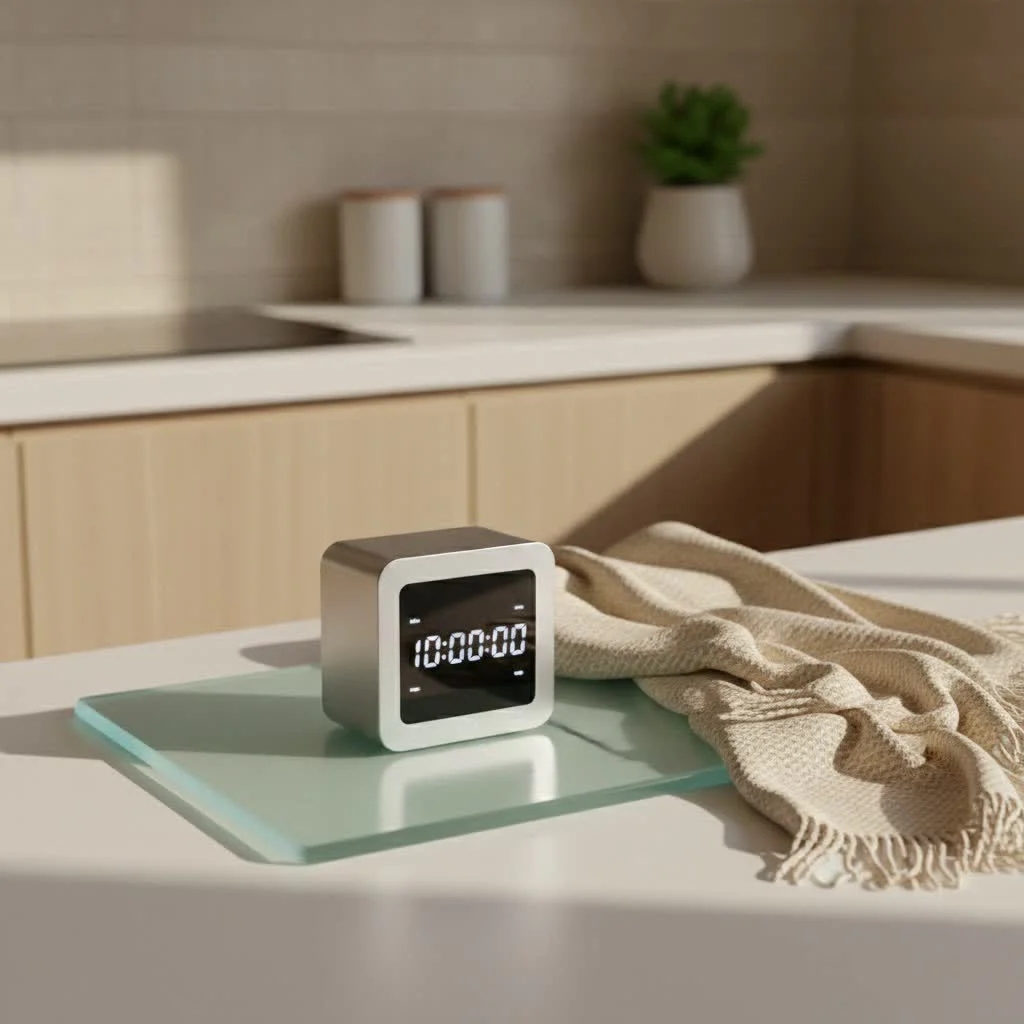
A digital timer clock is an electronic device that precisely measures and displays time, enabling automated scheduling for various tasks. Unlike mechanical timers, digital models use electronic circuitry and often a quartz crystal oscillator for superior accuracy, making them essential for home automation, energy management, and industrial control. Kenws.com has specialized in digital timing technology for over a decade, offering insights to help users maximize these devices’ potential.
What Exactly is a Digital Timer Clock?
At its core, a digital timer clock is a sophisticated electronic device designed for the ultra-precise measurement and display of time. Unlike its older, mechanical siblings, which rely on gears and springs, digital timers utilize electronic circuitry and often a quartz crystal oscillator to achieve remarkable accuracy. Think of that quartz crystal as the tiny, unwavering heartbeat of your digital timer clock, vibrating at an incredibly consistent frequency to keep time flawlessly.
When you interact with a digital timer clock, you’re seeing time presented numerically, making it incredibly easy to read and interpret. These devices can typically count down from a preset duration, signaling you when time’s up with an alarm, or they can count up, functioning much like a stopwatch. This electronic precision is a major upgrade, allowing for highly specific scheduling and automation that mechanical timers simply can’t match. They’re essentially mini-computers dedicated to managing your time down to the second.
The World of Digital Timer Clocks: Types and Their Nuances
The beauty of the digital timer clock lies in its incredible versatility. There isn’t just one type; rather, a spectrum of designs tailored for various tasks and levels of automation.
Countdown & Count-Up Timers
These are the most basic, yet fundamental, forms of digital timers. A countdown timer is perfect for tasks where you need to know precisely when a set period will end, like baking a cake or timing a presentation. Conversely, a count-up timer works like a stopwatch, tracking elapsed time, which is invaluable for workouts or tracking project durations.
Programmable Digital Timer Clocks
This category truly highlights the “smart” in smart timing. Programmable digital timer clocks allow you to set complex schedules for various devices.
- Daily, Weekly, and Multi-Event Scheduling: Imagine setting your lights to turn on at sunset and off at bedtime, with different schedules for weekdays and weekends. These timers handle such intricate programming effortlessly, allowing for multiple ON/OFF cycles within a 24-hour or 7-day period.
- Astronomical Timers: These advanced digital timer clocks take automation to the next level by automatically adjusting to local sunrise and sunset times based on your geographic location. No more manually resetting timers for seasonal light changes!
- Randomized Timers: Often used for security, these timers turn lights or other devices on and off at slightly varied times within a set window, making it appear as though someone is home even when you’re away.
- Repeat Cycle & Interval Timers: Ideal for tasks requiring repetitive timing, such as hydroponic systems, ventilation fans, or interval training, where a specific ON duration is followed by an OFF duration, repeating continuously.
Smart Digital Timer Clocks
|
Our Picks for the Best Digital Timer in 2026
As an Amazon Associate I earn from qualifying purchases.
|
||
| Num | Product | Action |
|---|---|---|
| 1 | Elegant Digital Kitchen Timer, Stainless Steel Model eT-23, Super Strong Magnetic Back, Loud Alarm, Large Display, Auto Memory, Auto Shut-Off by eTradewinds |

|
| 2 | Azosowo 2 Pack Digital Timer for Kids, Magnetic Kitchen Timers for Cooking, Egg, Teachers, Classroom, Study, Exercise, Oven Baking - AAA Battery Included |
|
| 3 | Easy to USE, Digital Kitchen Timer, Magnetic Timer,Tanmalan(Black,1 Pack) |
|
| 4 | Allbean Magnetic Kitchen Timer for Cooking with Loud Alarm - Large LED Display Rotating Countdown Pomodoro Timer, Preset 5/15/25 Mins Easy for Seniors and Kids,for Baking Grilling Studying |
|
| 5 | GuDoQi Digital Hourglass Pomodoro Timer, Magnetic 1-99 Mins Adjustable Rechargeable Digital Countdown ADHD Timer, Mute/Low Volume/High Low Volume Modes for Work, Study, Back to School, Kitch, Black |
|
| 6 | 6 Pack Multi-Function Electronic Timer, Learning Management, Suitable for Kitchen, Study, Work, Exercise Training, Outdoor Activities(not Including Battery) |
|
| 7 | VOCOO Digital Kitchen Timer with 7.8” Extra Large Display, Magnetic LED, with 3 Brightness, 4 Alarms and 3 Volume Levels, Battery Powered Countdown Count Up Timer for Cooking, Classroom, Home Gym |
|
| 8 | 2 Pack Digital Kitchen Timer for Cooking Big Digits Loud Alarm Magnetic Backing Stand Cooking Timers for Baking White |
|
| 9 | Visual Kitchen Timer for Cooking,Chef Cooking Timers Clock with Loud Alarm,Timers for Classroom, Home and Study,Mechanical Desk Timer,No Batteries Required,Magnetic Back (Red) |
|
| 10 | VOCOO Digital Kitchen Timer - Magnetic Countdown Countup Timer with Large LED Display Volume Adjustable, Easy for Cooking and for Seniors and Kids to Use (Space Grey) |
|
Welcome to the future of timing! Smart digital timer clocks integrate with your home’s Wi-Fi network, allowing you to control them remotely via smartphone apps or even voice commands through smart assistants like Alexa or Google Assistant. These timers offer unparalleled convenience, real-time status updates, and often integrate with other smart home devices.
Installation Types
Digital timer clocks come in various physical forms to suit different needs:
- Plug-in Timers: The most common and easiest to use. You simply plug the timer into a standard wall outlet, and then plug your device into the timer. They’re portable and require no installation.
- In-wall Timers: These hardwired digital timer clocks replace existing light switches or outlets. They offer a cleaner look and are ideal for controlling fixed fixtures like ceiling lights or exhaust fans, providing a more integrated home automation solution.
Beyond the Clock Face: Diverse Applications of Digital Timer Clocks
The utility of a digital timer clock extends far beyond merely telling time. From enhancing daily routines to optimizing industrial operations, their applications are vast and impactful.
In the Home
A digital timer clock can improve your home into a more efficient, secure, and comfortable space.
- Cooking & Baking: Forget burnt dinners! A dedicated digital timer clock is a chef’s best friend for perfectly baked goods, slow-cooked meals, or even just boiling an egg. Many microwave ovens, for instance, have built-in digital timers, showcasing their everyday culinary relevance.
- Lighting & Security: Automating indoor and outdoor lighting with a programmable digital timer clock is a classic move. It not only welcomes you home to a well-lit house but also acts as a powerful deterrent against intruders by simulating occupancy when you’re out.
- Appliance Control: Imagine waking up to freshly brewed coffee because your coffee maker was set to turn on automatically. Digital timers can manage various appliances, from water heaters to aquarium pumps and even seasonal decorations, ensuring they operate only when needed, saving you energy and effort.
- Productivity & Wellness: For students and professionals, a digital timer clock can implement techniques like the Pomodoro Technique, breaking work into focused intervals. For fitness enthusiasts, it’s essential for timing exercise sets and rest periods. They’re also fantastic for medication reminders, ensuring you stick to your health regimen. “From automating my morning routine to ensuring my indoor plants get precisely timed light exposure, a good digital timer clock streamlines so many aspects of my life,” shares Clara Thompson, a seasoned automation engineer.
In Industry & Commercial Settings
The precision and reliability of digital timer clocks make them indispensable in professional environments.
- Process Automation & Control: In manufacturing and industrial settings, digital timers are critical for controlling machinery, conveyor belts, and chemical processes, ensuring operations run on precise schedules for efficiency and safety.
- Energy Management & Cost Savings: Businesses use these timers to manage lighting, HVAC systems, and other electrical loads, switching them off during non-operational hours to significantly reduce energy consumption and utility bills.
- Equipment Lifecycle Management: Digital timers can log the operational hours of equipment, helping maintenance teams schedule preventative servicing, thereby extending machinery life and preventing costly breakdowns.
Choosing Your Perfect Timekeeper: A Buyer’s Guide to Digital Timer Clocks
With so many options, how do you pick the right digital timer clock? It boils down to understanding your specific needs and matching them with the right features.
1. Identify Your Needs First
Are you looking for a simple kitchen timer, a sophisticated security solution, an energy-saving device for your garden, or a robust tool for an industrial application? Your primary use case will narrow down your choices considerably.
2. Key Features to Look For
- Display Clarity & Backlighting: A large, easy-to-read LCD or LED display is crucial, especially in low-light conditions. Backlighting can make a huge difference in usability.
- Programming Flexibility: Consider how many ON/OFF cycles you need per day or week. Do you require different programs for different days? Features like astronomical timing or randomization might be important for security or advanced home automation.
- Power Source: Battery-powered timers offer portability, while AC-powered (plug-in or hardwired) provide continuous, reliable operation without worrying about battery life. Some models include battery backup for settings during power outages.
- Output Control: For plug-in models, how many outlets does it have? For all types, ensure the timer’s load capacity (wattage or amperage) is sufficient for the devices you intend to control. Overloading can be dangerous.
- Sound & Alarm Options: Look for adjustable volume settings, a mute function for quiet environments, or even a vibration mode.
- Durability & Build Quality: Especially for outdoor or industrial use, ensure the timer is rated for its environment (e.g., waterproof, dust-resistant). Reading user reviews and checking for warranties can offer insights into long-term reliability.
- Smart Features (if applicable): If you’re building a smart home, look for Wi-Fi connectivity, app control, and compatibility with your preferred smart home ecosystem.
“Don’t just chase features; prioritize what genuinely enhances your daily tasks,” advises Clara Thompson, a seasoned automation engineer. “A feature-rich digital timer clock is great, but only if you actually use those features to simplify your life.”
Getting Started: How to Program Your Digital Timer Clock
Programming a digital timer clock might seem daunting at first glance, but most follow a similar, intuitive logic. While specific button labels might vary, here’s a general step-by-step guide:
- Resetting the Device: Many digital timers have a small “Reset” button (often recessed, requiring a paperclip) to clear all previous settings and return to factory defaults. This is a great starting point for fresh programming.
- Setting the Current Time and Day: Locate buttons typically labeled “Clock,” “Hour,” “Minute,” and “Day” or “Week.” Press and hold “Clock” (or a similar button) and use “Hour,” “Minute,” and “Day” to set the current time, making sure to select AM/PM correctly or use the 24-hour format. Release the “Clock” button to save.
- Entering ON/OFF Programs: Press the “Program” button. The display might show “1 ON” or “P1 ON.” This indicates you are setting the first “on” time. Use the “Hour,” “Minute,” and “Day/Week” buttons to specify when your device should turn on. Press “Program” again, and you’ll likely see “1 OFF” or “P1 OFF” to set the corresponding “off” time. Repeat for additional programs.
- Selecting Specific Days or Day Groups: During programming, use the “Day” or “Week” button to cycle through options like “Every Day,” “Weekdays,” “Weekends,” or individual days. Select the schedule that fits your needs for each program.
- Activating “Auto” Mode: Once you’ve programmed all your desired schedules, ensure the digital timer clock is switched to “Auto” or “Timer” mode. This enables it to follow your programmed schedule. “Manual” mode typically overrides the program for continuous ON or OFF.
Pro Tips for Programming:
- Allow Buffer Time: When setting ON/OFF schedules, especially for lighting, build in a few minutes before and after your exact need. For example, if you want lights on from 6 PM to 10 PM, schedule them from 5:58 PM to 10:02 PM for seamless transitions.
- Overlapping Schedules: For complex automation, consider staggering or slightly overlapping schedules across multiple timers or devices to create more natural transitions.
When Time Stands Still: Troubleshooting Common Digital Timer Clock Issues
Even the most reliable digital timer clock can sometimes encounter hiccups. Don’t fret; many common problems have straightforward solutions.
Problem 1: Not Turning On/Blank Display
- Fixes: Check the power source. If battery-operated, replace with fresh batteries, ensuring correct polarity. For plug-in models, verify it’s securely plugged into a working outlet and check the power cord for damage. If it has a battery backup, a weak internal battery might prevent the display from lighting up, even when plugged in; some models require being plugged in for 30 minutes to charge internal batteries. Perform a reset if possible.
Problem 2: Incorrect Timing or Freezing
- Fixes: A full reset can often clear internal glitches. Re-program the current time and ensure AM/PM or 24-hour settings are accurate. If the time consistently drifts, the internal quartz crystal or battery backup might be failing.
Problem 3: Alarm Not Sounding/Buttons Unresponsive
- Fixes: First, check if the alarm volume is muted or set too low. Consult your manual for alarm settings. For unresponsive buttons, try pressing them firmly a few times. Sometimes, dust or debris can get lodged underneath; a burst of compressed air can help. If persistent, internal damage to the button mechanism might require professional repair or replacement.
Problem 4: Program Not Running as Expected
- Fixes: This is often a programming error. Re-verify every step of your schedule. Ensure the digital timer clock is in “Auto” or “Timer” mode, not “Manual.” Double-check that both ON and OFF times are set for each program, and that the correct days of the week are selected. If your timer has firmware, check the manufacturer’s website for updates. “Many issues can be resolved with a simple reset and a careful re-read of the manual,” notes Kenji Sato, a product development specialist at Kenws Labs. “Often, the solution is right there in front of us.”
Digital Timer Clock Checklist: What to Consider Before You Buy
To help you make an informed decision, here’s a quick checklist before investing in your next digital timer clock:
- [x] Purpose: What specific task(s) will you use the digital timer clock for? (e.g., cooking, lighting, security, industrial control).
- [x] Installation: Do you prefer a simple plug-in model, or do you need a more permanent in-wall solution?
- [x] Programming Needs: How complex do your schedules need to be? (e.g., simple daily on/off, different weekday/weekend, astronomical, random).
- [x] Display: Is the display large, clear, and does it have adequate backlighting for your environment?
- [x] Power: Will it be battery-powered for portability, or AC-powered for continuous operation? Does it need battery backup for power outages?
- [x] Features: Do you require specific features like multiple alarms, count-up/countdown, interval modes, smart home integration, or child lock?
- [x] Budget: What’s your comfortable spending range? More advanced features often come with a higher price tag.
- [x] Reviews & Warranty: Always check customer reviews for reliability and ensure the product comes with a reasonable warranty.
Embrace the Power of Precision with a Digital Timer Clock
Whether you’re looking to streamline your morning routine, enhance home security, conserve energy, or optimize complex industrial operations, the digital timer clock is a small device with immense power. Its precision, versatility, and ease of use make it an invaluable tool for modern living. By understanding the different types, applications, and key features, you’re now equipped to choose, program, and troubleshoot your digital timer clock with confidence.
At Kenws.com, we believe that mastering your time means mastering your life. Embrace the efficiency and peace of mind that a well-chosen and expertly utilized digital timer clock can bring. Start automating, start optimizing, and start living more intelligently today!
Frequently Asked Questions
What is the main difference between a digital and a mechanical timer?
The main difference lies in their internal mechanisms and accuracy. Digital timers use electronic circuitry and often a quartz crystal oscillator for ultra-precise timekeeping, down to the second. Mechanical timers, in contrast, rely on gears and springs, offering less precision and fewer programming options.
Can a digital timer clock help reduce energy consumption at home?
Yes, a digital timer clock can significantly reduce energy consumption. By automating appliances like lights, water heaters, or seasonal decorations to operate only when needed, you prevent unnecessary power usage. For example, programming outdoor lights to turn off at sunrise can save hours of electricity daily.
What are the benefits of using a smart digital timer clock?
Smart digital timer clocks offer unparalleled convenience by integrating with Wi-Fi for remote control via smartphone apps or voice commands. They provide real-time status updates, allow for complex scheduling, and can often integrate with other smart home devices, enhancing overall home automation and security.
How do astronomical timers work with digital timer clocks?
Astronomical timers are advanced digital timer clocks that automatically adjust ON/OFF times based on local sunrise and sunset. They use your geographic location to calculate daily light changes, eliminating the need for manual adjustments due to seasonal shifts, which is particularly useful for outdoor lighting.
What should I consider when choosing a digital timer clock for outdoor use?
For outdoor use, prioritize durability and build quality. Ensure the digital timer clock is specifically rated for its environment, meaning it should be waterproof and dust-resistant. Checking user reviews and warranty information can also provide insights into its long-term reliability in varying weather conditions.
What is the first step to take if my digital timer clock isn't turning on?
If your digital timer clock isn't turning on or has a blank display, first check its power source. For battery-operated models, replace the batteries, ensuring correct polarity. For plug-in models, verify it's securely connected to a working outlet and inspect the power cord for any damage. A full reset can also resolve many display issues.
Smart home that does not lock you in
Practical specs, not advice. Unsubscribe anytime.
I’ve been using a digital timer clock for my smart home setup for a few months now, and it’s been a game-changer. The accuracy from the quartz crystal oscillator really makes a difference for my automated lighting and heating schedules. No more coming home to a cold house or forgetting to turn off the porch lights. It’s super reliable and easy to program.
This digital timer clock is fantastic for energy management. I’ve set it up to control my water heater, and I’ve already noticed a dip in my electricity bill. The precision is definitely superior to the old mechanical timer I had. I just wish it had a few more programmable slots for different days of the week, but for basic scheduling, it’s perfect.
I got one of these digital timers to manage my grow lights, and while it’s generally good, I found the initial setup a bit confusing. The instructions could be clearer, especially for someone new to home automation. Once I figured it out, it works fine, but that first hour was a bit frustrating. It does keep time well though.
As someone who’s been into industrial control systems, I appreciate the robust design of these digital timers. The electronic circuitry is clearly well-engineered for consistent performance. I’m using one to automate my workshop’s ventilation system, and it hasn’t missed a beat. Highly recommend for anyone needing reliable, precise timing.