Ever feel like you’re constantly chasing after lights, fans, or appliances, turning them on and off? Or maybe you’re looking for clever ways to trim down those ever-increasing electricity bills? If so, you’re in the right place! Digital electrical timers are powerful, versatile devices that can transform how you manage power in your home and business, bringing unprecedented convenience, significant energy savings, and even enhanced security. They are far more than just simple on/off switches; they’re the brains behind seamless electrical automation, putting you in control of your energy usage with precision.
What Exactly is a Digital Electrical Timer?
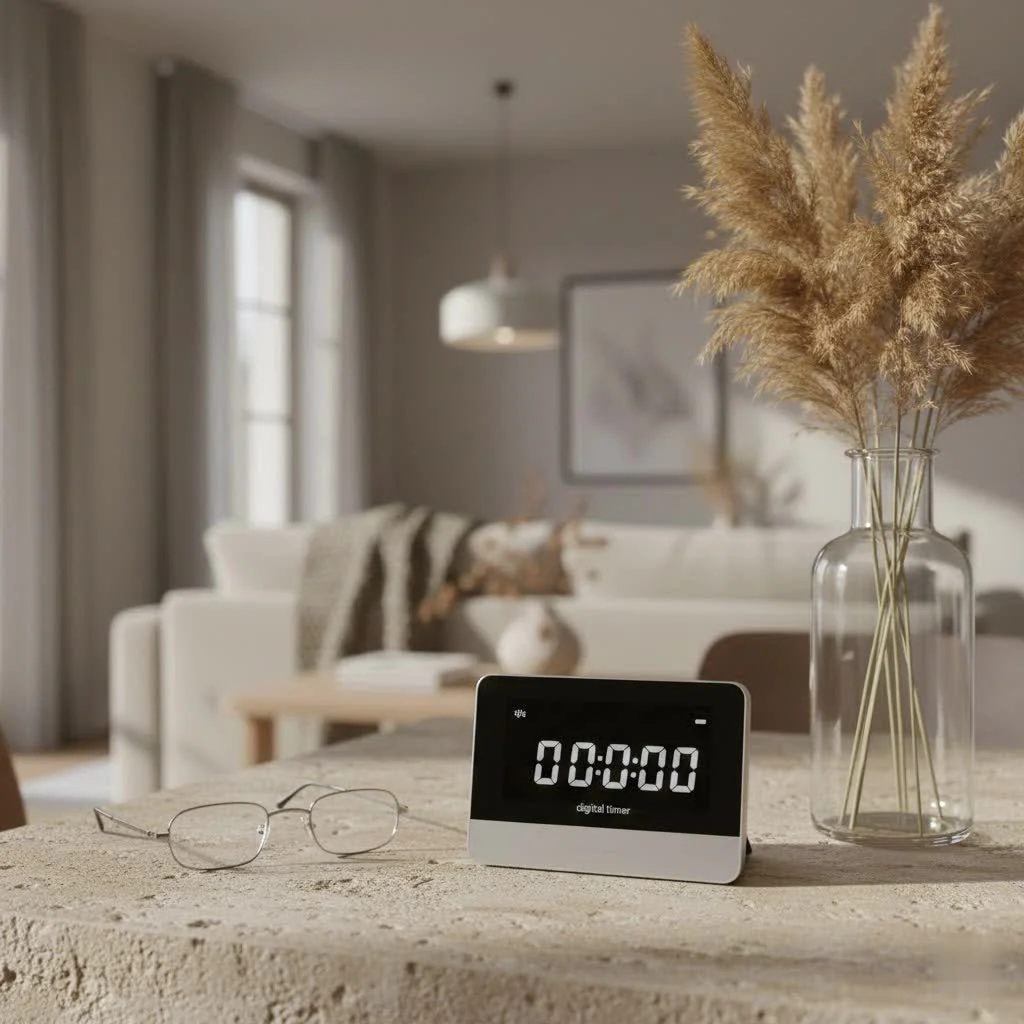
At its core, a digital electrical timer is an electronic device designed to automatically control the flow of electricity to an appliance or circuit at predetermined times. Unlike older mechanical timers that rely on gears and dials, digital versions utilize semiconductor components and feature a clear, programmable digital display. This means you get precise control and a level of flexibility that mechanical timers simply can’t match.
How They Work: The Brains Behind the Automation
Think of a digital electrical timer as a mini-computer for your electrical outlets or switches. You “tell” it exactly when to turn power on and off, down to the minute, and it remembers that schedule, executing it reliably day after day. Many models include a small backup battery, ensuring your carefully programmed settings aren’t lost during power outages. This internal clock and memory allow for complex, multi-event schedules throughout the day, week, or even year.
Beyond the Basics: Key Features and Benefits
The shift from mechanical to digital brought a host of impressive features. Digital timers often boast multiple programmable events, automatic daylight saving adjustments, and advanced functions like random modes (great for security) or countdown timers. The sheer precision and customizability make them indispensable for modern energy management.
Why Every Home and Business Needs a Digital Electrical Timer
Integrating digital electrical timers into your electrical system offers a myriad of benefits, making your life easier, your property safer, and your wallet happier.
Unlocking Energy Savings and Lower Bills
One of the most compelling reasons to use a digital timer is its ability to reduce electricity consumption. By ensuring devices like lights, water heaters, or HVAC systems only run when needed, you eliminate wasteful “phantom load” and unnecessary operation. Imagine your outdoor lights turning off precisely at sunrise or your pool pump running only during off-peak hours to save money. This targeted control directly translates into lower utility bills.
Convenience, Automation, and Peace of Mind
|
Our Picks for the Best Digital Timer in 2026
As an Amazon Associate I earn from qualifying purchases.
|
||
| Num | Product | Action |
|---|---|---|
| 1 | GuDoQi Digital Hourglass Pomodoro Timer, Magnetic 1-99 Mins Adjustable Rechargeable Digital Countdown ADHD Timer, Mute/Low Volume/High Low Volume Modes for Work, Study, Back to School, Kitch, Black |

|
| 2 | Visual Kitchen Timer for Cooking,Chef Cooking Timers Clock with Loud Alarm,Timers for Classroom, Home and Study,Mechanical Desk Timer,No Batteries Required,Magnetic Back (Red) |
|
| 3 | VOCOO Digital Kitchen Timer - Magnetic Countdown Countup Timer with Large LED Display Volume Adjustable, Easy for Cooking and for Seniors and Kids to Use (Space Grey) |
|
| 4 | VOCOO Digital Kitchen Timer with 7.8” Extra Large Display, Magnetic LED, with 3 Brightness, 4 Alarms and 3 Volume Levels, Battery Powered Countdown Count Up Timer for Cooking, Classroom, Home Gym |
|
| 5 | Easy to USE, Digital Kitchen Timer, Magnetic Timer,Tanmalan(Black,1 Pack) |
|
| 6 | Allbean Magnetic Kitchen Timer for Cooking with Loud Alarm - Large LED Display Rotating Countdown Pomodoro Timer, Preset 5/15/25 Mins Easy for Seniors and Kids,for Baking Grilling Studying |
|
| 7 | 6 Pack Multi-Function Electronic Timer, Learning Management, Suitable for Kitchen, Study, Work, Exercise Training, Outdoor Activities(not Including Battery) |
|
| 8 | Elegant Digital Kitchen Timer, Stainless Steel Model eT-23, Super Strong Magnetic Back, Loud Alarm, Large Display, Auto Memory, Auto Shut-Off by eTradewinds |
|
| 9 | Azosowo 2 Pack Digital Timer for Kids, Magnetic Kitchen Timers for Cooking, Egg, Teachers, Classroom, Study, Exercise, Oven Baking - AAA Battery Included |
|
| 10 | 2 Pack Digital Kitchen Timer for Cooking Big Digits Loud Alarm Magnetic Backing Stand Cooking Timers for Baking White |
|
Digital timers automate repetitive tasks, freeing you from manually switching things on and off. Need your coffee maker to start brewing before you wake up? Or your porch light to greet you when you arrive home? A digital timer handles it effortlessly. This hands-off approach simplifies daily routines and provides peace of mind, knowing your electrical systems are managed efficiently, even when you’re not around.
Enhancing Security with Smart Scheduling
Beyond efficiency, digital timers are potent security tools. By programming lights or even radios to turn on and off at varying times, you can create the illusion that your home is occupied, deterring potential intruders while you’re away. Some advanced models even feature “random” settings that subtly vary the schedule to make it appear more natural.
Types of Digital Electrical Timers: Finding Your Perfect Match
The market offers a diverse range of digital electrical timers, each suited for different applications and installation preferences. Understanding the types helps you choose the best fit.
Plug-In Outlet Timers: Simple Solutions
These are the easiest to use. You simply plug the timer into a standard electrical outlet, then plug your lamp or appliance into the timer. They are ideal for portable devices, holiday lights, or small kitchen appliances. They require no wiring expertise, making them a popular choice for beginners.
In-Wall Timers: Seamless Integration
In-wall digital timers replace a standard wall switch, offering a clean, integrated look. They are perfect for controlling hardwired lighting fixtures, ceiling fans, or outdoor lighting systems. While they require some basic electrical wiring knowledge for installation, they provide a more permanent and aesthetically pleasing solution.
Smart Digital Timers: The Future is Here
For those embracing smart home technology, Wi-Fi-enabled digital timers offer advanced control. These timers connect to your home network, allowing you to control and program them remotely via a smartphone app or voice assistant. Features like geofencing (turning devices on/off based on your location) and integration with other smart home ecosystems take convenience to the next level.
Specialty Timers: Heavy-Duty and Astronomical Options
Beyond the common types, you’ll find specialized digital timers. Heavy-duty appliance timers are designed to handle high-amperage loads, perfect for large pumps, air conditioners, or water heaters. Astronomical timers are particularly clever; they automatically adjust their on/off times based on local sunrise and sunset, making them ideal for outdoor lighting without constant seasonal reprogramming.
Choosing the Right Digital Electrical Timer for Your Needs
Selecting the ideal digital electrical timer involves more than just picking the first one you see. Careful consideration ensures compatibility, functionality, and longevity.
Power Ratings and Load Capacity: Don’t Overlook This!
This is perhaps the most critical factor. Always match the timer’s rated wattage and amperage to the device or circuit you intend to control. Overloading a timer can cause overheating, damage to the device, or even fire hazards. Check the timer’s specifications and compare them to your appliance’s power requirements. For inductive loads like motors and pumps, remember they can draw significantly higher current during startup.
Programming Flexibility: Daily, Weekly, or Astronomical?
Consider how often and how precisely you need to schedule events. Basic models might offer a few on/off cycles daily, while advanced versions allow for dozens of events across a weekly schedule, different settings for weekdays vs. weekends, or even specific holiday modes. If you’re managing outdoor lights, an astronomical timer will save you the hassle of seasonal adjustments.
Installation Type and Wiring Considerations
Decide whether a plug-in, in-wall, or DIN rail (for industrial panels) timer suits your application. If opting for an in-wall model, check your existing wiring. Many modern digital timers require a neutral wire in the electrical box, which older homes might lack. Always verify compatibility before purchasing or attempting installation.
Environmental Factors and Extra Features
Where will the timer be used? An outdoor timer needs to be weatherproof (look for IP ratings) and tolerate extreme temperatures. For indoor use, consider features like a clear LCD screen with backlighting, manual override buttons for quick changes, and battery backup to preserve settings during power interruptions. Random modes can mimic human presence for added security.
“Understanding your electrical needs—from the specific appliance’s load to your desired level of scheduling complexity and the installation environment—is paramount when selecting a digital electrical timer,” advises Dr. Evelyn Reed, a seasoned electrical engineer with decades of experience in automation systems. “Don’t just buy; evaluate, and when in doubt, consult a professional.”
Mastering Installation and Programming Your Digital Electrical Timer
While plug-in timers are straightforward, installing an in-wall digital electrical timer requires a careful, step-by-step approach. Programming, though initially daunting for some, becomes intuitive with practice.
Safety First: Preparing for Installation
Before you touch any wires, safety is paramount.
- Turn off power: Locate the circuit breaker that controls the switch or outlet you’ll be working on and switch it off.
- Verify power is off: Use a voltage tester to double-check that no power is flowing to the existing switch. This step is non-negotiable!
- Gather tools: You’ll need screwdrivers (Phillips and flat-head), wire strippers, electrical tape, and wire nuts.
Step-by-Step: Wiring Your In-Wall Digital Timer
For in-wall timers, the process typically involves these steps:
- Remove the old switch: Unscrew the faceplate and then the mounting screws holding the old switch in place. Gently pull the switch out from the wall box, but don’t disconnect the wires yet.
- Identify wires: Carefully note which wire connects to which terminal on the old switch. You’ll typically find:
- Line: Incoming power (often black).
- Load: Power going to the light fixture/appliance (often black, sometimes red or marked).
- Neutral: Usually white. Many digital timers require this.
- Ground: Bare copper or green.
- If unsure, take a picture or label the wires.
- Disconnect and connect: Disconnect the wires from the old switch. Following your new digital timer’s specific wiring diagram, connect each identified wire to its corresponding terminal on the new timer. Secure connections with wire nuts and electrical tape if needed.
- Secure and restore power: Carefully tuck the wires back into the electrical box. Mount the new timer securely with screws and attach the cover plate. Finally, return to your circuit breaker and restore power to test your installation.
Programming Your Schedule for Optimal Control
Programming steps vary by model, but most follow a general sequence:
- Set current time and date: This is the baseline for all timing operations.
- Enter location data (if astronomical): Allows the timer to calculate precise sunrise/sunset times.
- Program ON/OFF times: Set specific activation and deactivation times for each event.
- Select days of operation: Choose which days each program should run (e.g., daily, weekdays, weekends).
- Review and confirm: Double-check all settings before finalizing.
Troubleshooting Common Digital Electrical Timer Issues
Even reliable digital electrical timers can occasionally act up. Here are some common problems and how to tackle them.
“Why Isn’t My Timer Turning On/Off as Programmed?”
Often, this isn’t a fault but a simple misconfiguration. Check if the current time and date are set correctly, especially after a power outage, as a dead backup battery could cause time loss. Review all programmed events to ensure they haven’t been accidentally deleted or modified. Also, confirm the timer isn’t stuck in a “manual override” mode (ON or OFF) instead of “AUTO” or “PROGRAM.”
“My Timer’s Display is Blank or Acting Erratic, What Should I Do?”
A blank or flickering display can indicate a power issue. First, check if the circuit breaker has tripped or a fuse is blown. For battery-powered or battery-backed-up models, replace the backup battery; a weak or dead battery is a common culprit. If the display is showing strange characters, try a factory reset (usually a small recessed button you press with a paperclip). Sometimes, environmental factors like extreme temperatures or moisture can also affect the display.
“What if My Digital Timer is Making Buzzing Noises?”
While digital timers are generally quiet, a buzzing or clicking sound can be a cause for concern. It might signal loose wiring connections (a dangerous fire hazard—turn off power immediately and inspect), an overloaded circuit (the timer can’t handle the connected load), or an incompatibility with the type of load (e.g., certain motors). It could also point to internal relay issues within the timer itself. Investigate promptly, and if wires feel hot, disconnect power and call an electrician.
Frequently Asked Questions About Digital Electrical Timers
Q: Can a digital electrical timer really save me money on my utility bills?
A: Absolutely! By precisely controlling when lights, fans, and appliances turn on and off, digital timers eliminate wasted energy from devices running unnecessarily. This can lead to noticeable reductions in your electricity consumption and, consequently, lower utility bills, especially for high-usage items or systems.
Q: Is it difficult to install an in-wall digital electrical timer?
A: Installing an in-wall digital timer requires basic electrical knowledge and adherence to safety protocols (like turning off power at the breaker). While many DIY enthusiasts can manage it, if you’re uncomfortable with electrical wiring or lack a neutral wire, it’s always best to consult a qualified electrician to ensure proper and safe installation.
Q: What’s the main difference between mechanical and digital electrical timers?
A: Mechanical timers operate with a clockwork mechanism and pins, offering limited programming options and precision. Digital timers, on the other hand, use electronic components, feature a digital display, and provide much greater programming flexibility, minute-by-minute accuracy, and often include advanced features like battery backup and specific daily/weekly schedules.
Q: Can I use a digital timer with any electrical appliance?
A: While digital timers are highly versatile, you must always ensure the timer’s power rating (wattage and amperage) matches or exceeds the requirements of the appliance you want to control. Overloading a timer can damage it or create a safety hazard. Always check the manufacturer’s specifications for both the timer and the appliance.
Q: How often should I replace the backup battery in my digital timer?
A: Most digital timers use a small coin-cell battery to retain settings during power outages. While their lifespan varies, it’s generally a good practice to replace the backup battery every 1-2 years, or immediately if you notice the timer losing its settings after a power interruption.
Q: What does an “astronomical” digital timer do?
A: An astronomical digital timer is designed to automatically adjust its on/off times based on the changing sunrise and sunset times in your specific geographic location. This feature is particularly useful for outdoor lighting, as it eliminates the need for manual reprogramming as the seasons change.
Maximize Your Electrical Control with Digital Timers
Digital electrical timers are essential tools for anyone looking to optimize their home or business environment. From saving energy and cutting costs to enhancing convenience and security, these versatile devices offer a powerful upgrade to traditional electrical control. By understanding their types, choosing wisely, and mastering their use, you can confidently integrate them into your life, ensuring your electrical systems work smarter, not harder. Don’t just manage your power; master it with a digital electrical timer and experience the profound benefits of intelligent automation. We encourage you to explore the perfect digital timer for your needs and share your journey towards a more efficient and automated space with the Kenws community!
Smart home that does not lock you in
Practical specs, not advice. Unsubscribe anytime.